


Yes, you can use SharePoint as an intranet. It comes with your Microsoft 365 subscription and has the building blocks: communication sites, news, hub sites and document management. What it doesn’t have is a “create intranet” button. This guide covers what you get out of the box, what you’ll need to add yourself, what it costs and when plain SharePoint is all you need.
Can you use SharePoint as an intranet?
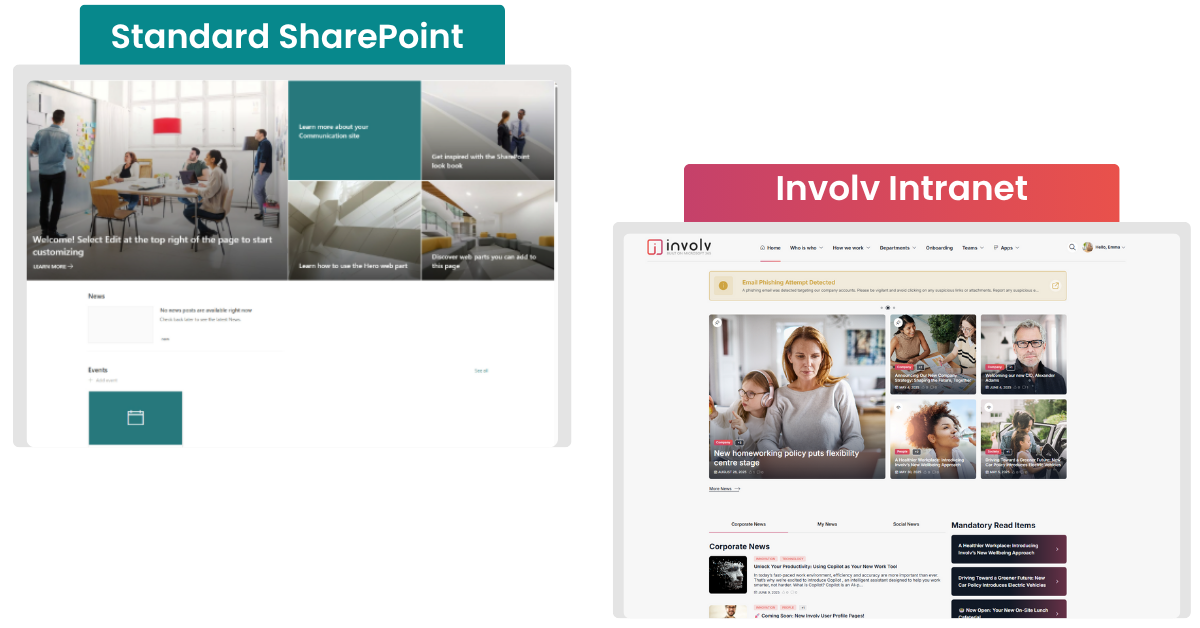
Yes, but SharePoint is a platform, not a finished intranet. You get the parts. Putting them together is up to you.
If your organisation runs on Microsoft 365, you’re probably using SharePoint already without noticing: Teams, OneDrive and your Teams recordings all sit on top of it. SharePoint started life as a document management system and it’s still excellent at that. The communication features came later.
Those features take you a fair way:
- Communication sites for publishing news, announcements and policies to a wide audience (Microsoft Learn).
- Hub sites that connect department sites (HR, finance, a local office) under one navigation, one look and feel, and search across all of them.
- Document management with version history, metadata and co-authoring.
So what’s the difference between SharePoint and an intranet? An intranet is what employees experience every day: the place where they read the news, find colleagues and track down the right procedure in seconds. To get there you need more than building blocks. You need a clear structure, simple navigation and agreements on who looks after what. Without those, SharePoint quickly turns into a collection of islands: news still goes out by email and nobody knows where the latest version of a document lives.
Curious about the upside? We listed the benefits of SharePoint as an intranet in a separate article.
Which licence do you need?
You don’t need a separate licence to run an intranet on SharePoint Online. SharePoint is included in most Microsoft 365 plans. Extras such as Copilot are paid for separately.
The fact that SharePoint comes “free” explains why it’s so often the first choice. It also explains why you shouldn’t expect everything from it: Microsoft supplies the platform and leaves the rest to you or to a partner.
What you get out of the box, and what's missing
SharePoint gives you a solid technical foundation. In the conversations we have with organisations, the same three gaps come up again and again: search, reaching mobile employees and getting messages to the right people.
| What you get out of the box | What you’ll need to solve yourself |
| Integration with Teams, OneDrive and Outlook | Search that puts the right results first. Out of the box, employees often get too many or irrelevant results once there’s a lot of content. |
| Strong document management with versioning and metadata | Reaching mobile employees. The SharePoint app works for documents and pages, but it usually falls short for people without a desk. |
| Communication sites and a news web part | Targeted communication. Automatically showing news to the right department, location or role is possible, but limited. |
| Hub sites and a flexible site structure | Navigation that goes more than one level deep, without maintaining it by hand |
| Security and permissions through Entra ID | Analytics that show who reads what |
| A Brand Center for colours, fonts and logo | A look and feel that goes beyond a theme, without custom code |
Each gap can be solved on its own. Together, they’re the difference between an intranet that works technically and one that employees actually use.
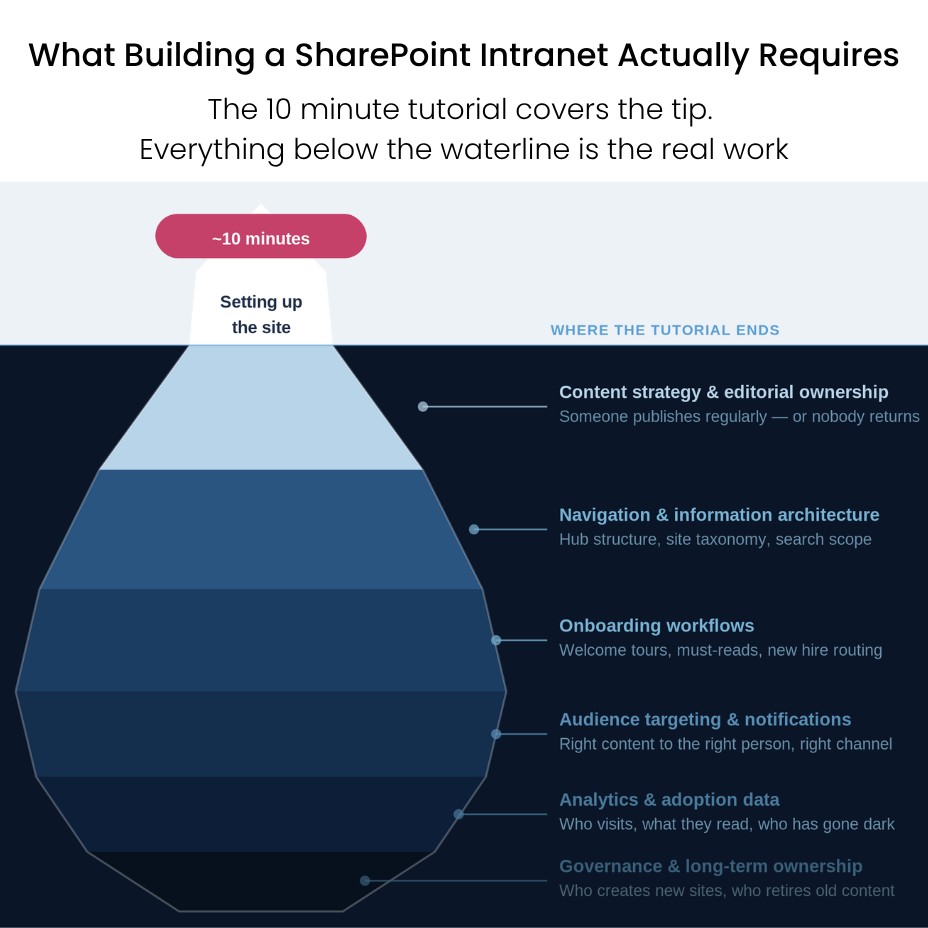
What comes after launch is covered in why SharePoint intranet adoption fails after go-live.
How to set up SharePoint as an intranet
Start with a communication site as your home page, connect department sites through a hub site, and agree on who owns what before you add content. In broad strokes:
- Start with a communication site as the home page of your intranet. Don’t use a team site: it’s built for collaboration and comes with a Microsoft 365 group you don’t want for company-wide communication.
- Choose your structure. Connect department or location sites to a hub site. For many organisations, one central hub is enough.
- Work out navigation and branding. Keep navigation short and logical for the people using the intranet, not the people who built it.
- Use audiences, categories and metadata. They decide how well search works, and Copilot relies on them too.
- Appoint owners. One person per site who keeps content up to date, and one person who looks after the whole.
- Launch and follow up. Launch day is the start, not the finish line.
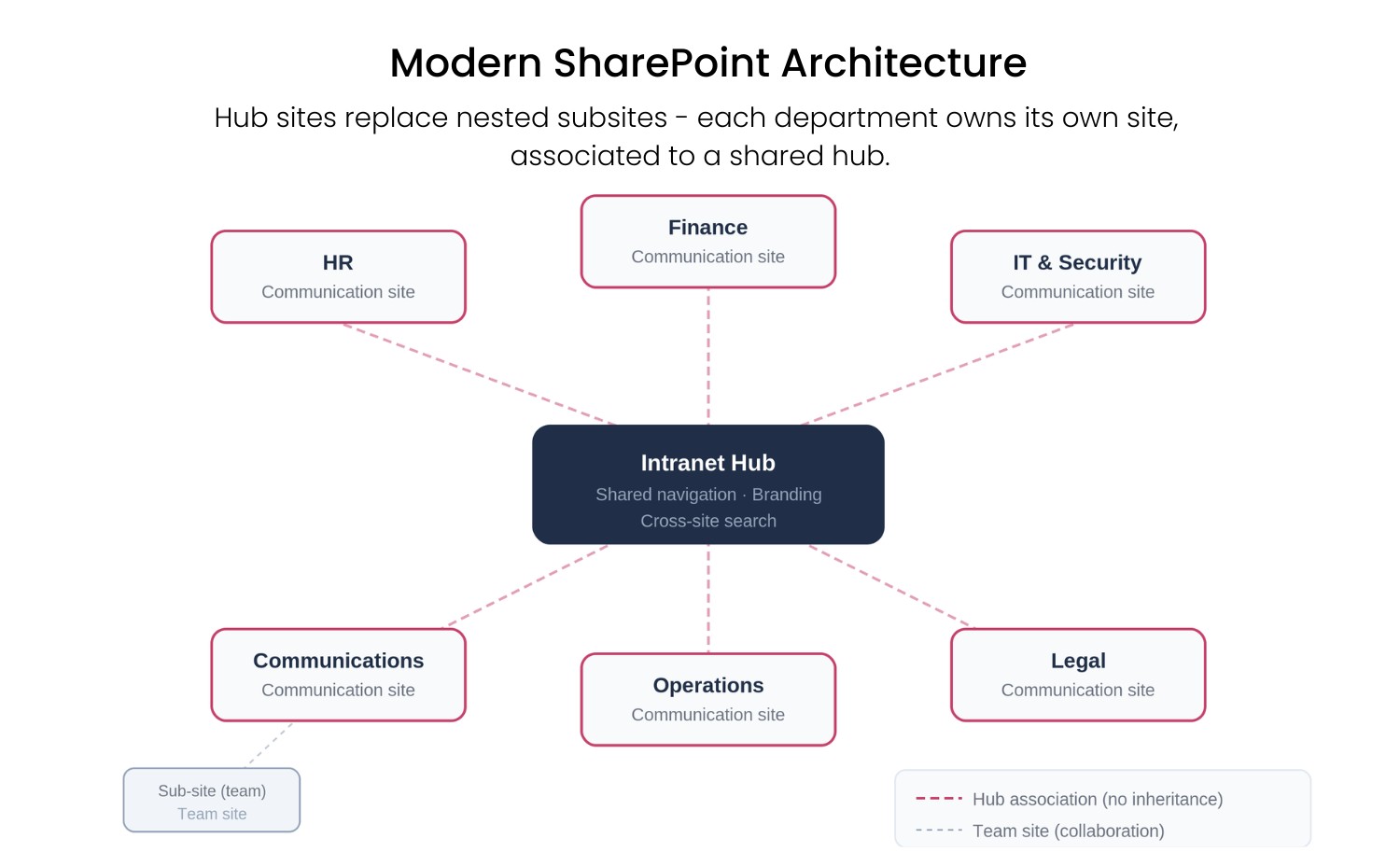
Technically, all of this is doable. The real challenge starts after go-live: who keeps the content current, who follows up on Microsoft’s updates and how do you keep employees coming back? We wrote separate articles on each of those:
SharePoint, Teams and Viva Connections
SharePoint is the layer your intranet runs on. Viva Connections makes that intranet visible inside Microsoft Teams. It doesn’t replace your intranet: a messy intranet stays messy, even when you show it in Teams.
If your colleagues spend their day in Teams, Viva Connections is a handy front door. How SharePoint Online, Viva Connections and Viva Engage fit together is explained in SharePoint Online, Viva Connections and Viva Engage as an intranet: when are they enough?
How much does a SharePoint intranet cost?
The licence is part of Microsoft 365, so on paper a SharePoint intranet is cheap. The real cost sits in the setup, the custom work and above all the maintenance afterwards.
| Cost item | What it means |
| Consultancy and development | External specialists design, configure and build your intranet. Every change or bug fix costs time and budget again. |
| Internal IT time | Your own IT team spends hours setting up, managing and supporting. Those hours aren’t free, even if they never show up on an invoice. |
| Training and adoption | Employees and content editors need to learn how to work with SharePoint. |
| Further development | New wishes, such as social features or personalisation, mean more custom work. |
| Maintenance | Microsoft updates SharePoint all the time. Custom components need retesting after updates, and sometimes fixing. |
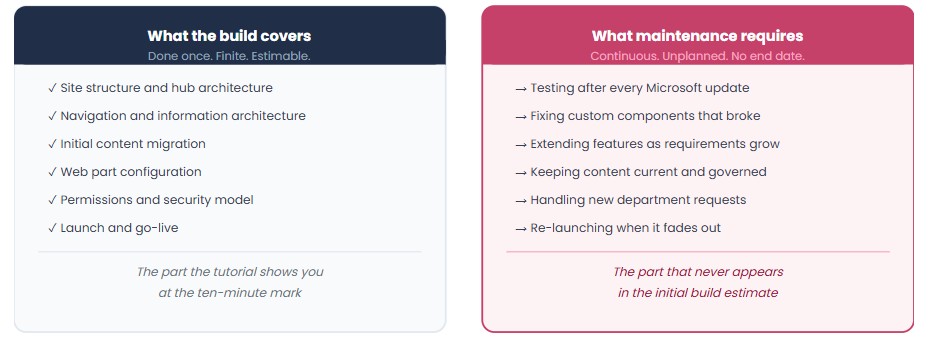
That’s why it pays to compare the total cost over three years, not just the build: building, maintenance, governance and the months before you go live. How to make that calculation is covered in build or buy.
And a ready-made intranet? An Involv QuickStart costs less than €1.50 per user per month for an organisation with 1,000 employees, support included. The exact price depends on your number of users, the package, the scope of the setup and any additional services, which is why we always quote on request.
How long does it take?
A simple communication site can be up in a few weeks. A fully custom intranet takes months, often longer. An Involv QuickStart goes live in 4 weeks.
With custom work, the timeline depends on the structure across departments, the number of workshops and the wishes that pop up along the way. For reference: the teams behind the best intranets in the Nielsen Norman Group Intranet Design Annual 2019 took 14 months on average.
A QuickStart has a fixed scope, and therefore a fixed timeline: live in 4 weeks. What you prepare: your content and your employees’ details in Entra ID. For a larger Involv project, timing depends on the scope, as with any project.
When is SharePoint on its own enough?
Are you a smaller organisation that mainly publishes news and documents, with someone in-house who knows SharePoint? Then SharePoint’s communication sites will often do the job. Start there.
It gets tight when:
- you need to reach employees without a desk, such as technicians, care staff or production workers;
- you want to target news by department, location or role;
- several departments publish their own content and you want to keep an overview;
- employees can’t find what they’re looking for;
- nobody has time to retest custom work after every Microsoft update.
At that point you have three routes:
- Standard SharePoint. A strong foundation, with the limits above.
- Custom work by a consultancy or your own IT. Fully tailored, but you pay for the maintenance for as long as the intranet exists.
- A ready-made intranet on top of SharePoint. Live faster, with search, mobile and audience targeting already built in.
Which route is right depends on who will maintain it two years from now. Ask yourself that before you start.
A ready-made intranet on top of SharePoint
Want to keep the benefits of SharePoint without building everything yourself? Then choose an intranet that runs on top of SharePoint. Your data stays in your own Microsoft 365 environment, under your existing security and Entra ID.
Involv is a ready-made SharePoint intranet:
- More than sixty intranet modules that you configure instead of build.
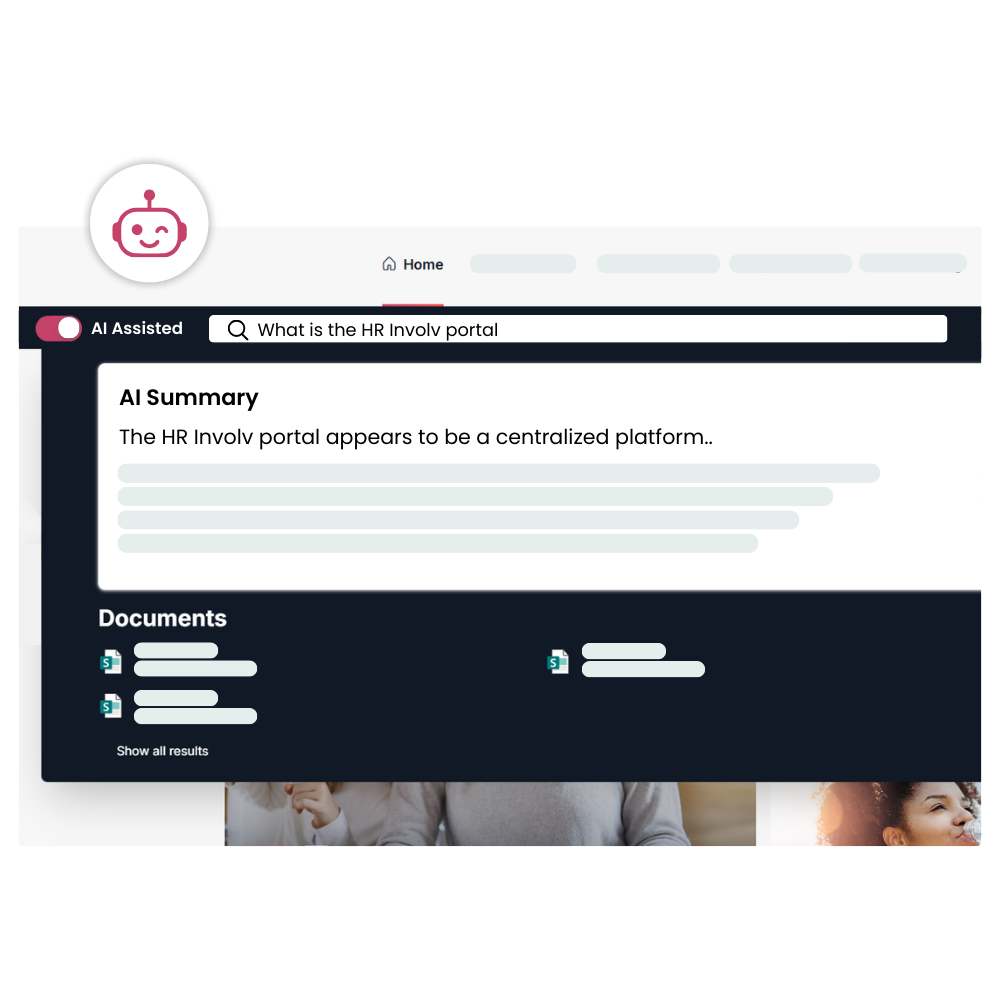
- Search that works: AI search in plain language across all pages, synonyms and search suggestions you set up yourself, and insight into what employees search for.
- Reach employees without a desk with a mobile app with push notifications.
- Targeted communication: news automatically reaches the right audience.
- No custom code to maintain. Our development team follows Microsoft’s updates and tests the impact.
- A team that only does intranet projects, with technical specialists and people from internal communication.
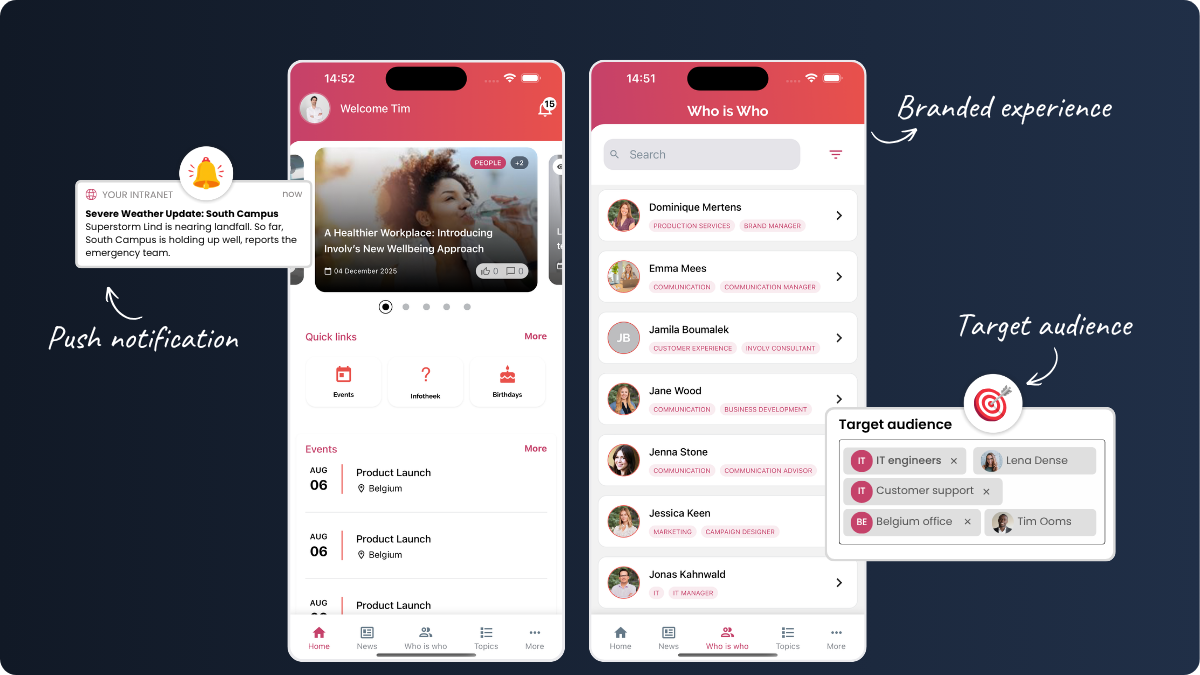
SharePoint intranet examples
What does a well-designed SharePoint intranet look like? Below are a few intranets built with Involv, each in the organisation’s own branding.
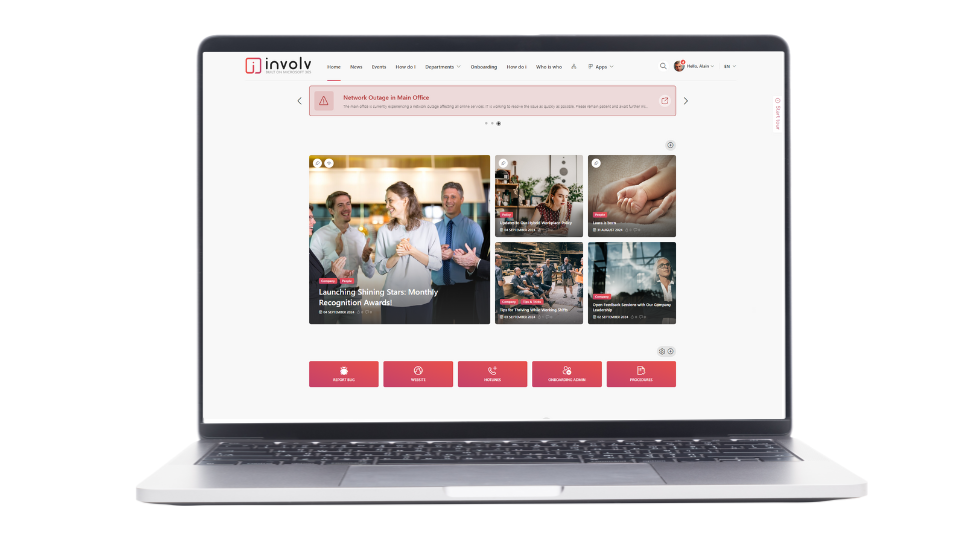
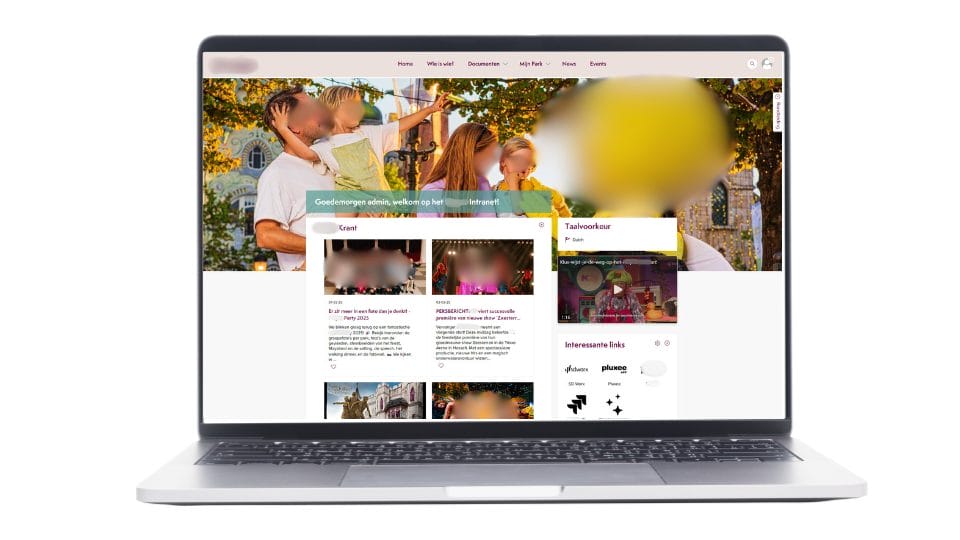
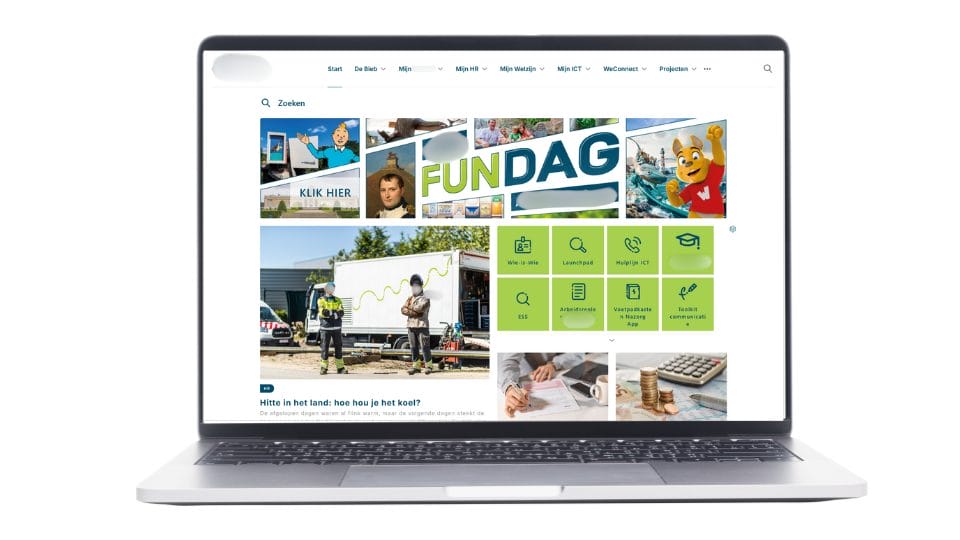
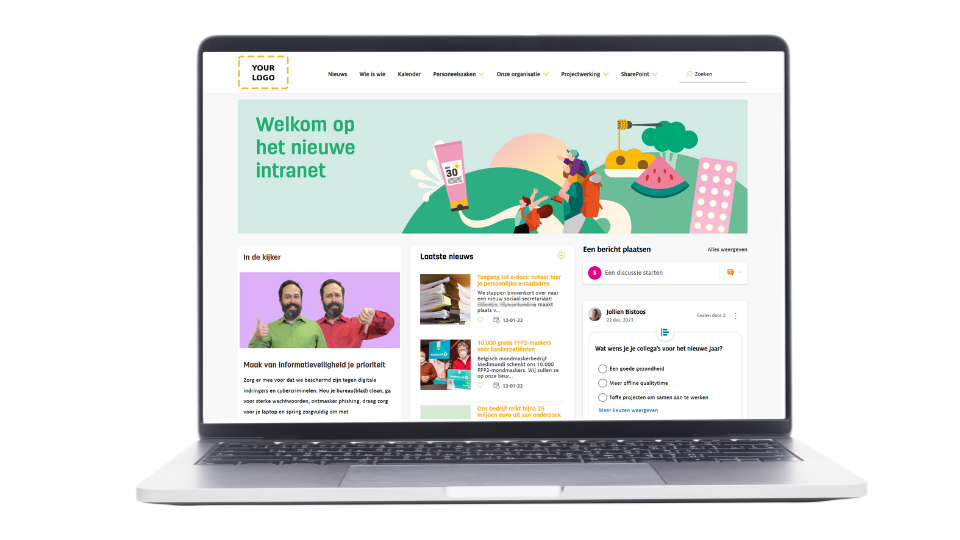
Find more examples in the Involv Lookbook.
FAQ: SharePoint as an intranet
Is SharePoint the same as an intranet?
No. SharePoint is a platform with the building blocks for an intranet: communication sites, news, hub sites and document management. An intranet is what you build with it: the place where employees read the news, find colleagues and look up information.
Can you use SharePoint as an intranet for free?
The licence is included in most Microsoft 365 plans, so you don’t pay extra for the platform. The costs are in the setup, the custom work and the maintenance.
Which licence do you need for a SharePoint intranet?
A Microsoft 365 plan that includes SharePoint Online. Extras such as Copilot have their own licence.
How much does a SharePoint intranet cost?
The platform is part of Microsoft 365. What you pay for is the time of consultants or your own IT, training and maintenance after every Microsoft update. A ready-made intranet such as an Involv QuickStart costs less than €1.50 per user per month for 1,000 employees, support included. The exact price is available on request.
How long does it take to build a SharePoint intranet?
A simple communication site can be up in a few weeks; a fully custom intranet takes months. An Involv QuickStart goes live in 4 weeks.
Is SharePoint user-friendly enough as an intranet?
For people who mostly work at a desk and know SharePoint, often yes. Search, the mobile experience and targeted communication are where employees get stuck first.
What is the difference between SharePoint and Teams as an intranet?
Teams is built for working together and chatting, SharePoint for storing and publishing information. With Viva Connections you can show your SharePoint intranet inside Teams.
Is custom development on SharePoint worth it?
It can be, if you have a team that will keep maintaining the custom work for years. Otherwise you pay for maintenance again after every Microsoft update. For most organisations, a ready-made solution on top of SharePoint is simpler.
What is the difference between Involv and SharePoint?
SharePoint is the foundation. Involv runs on top of it and adds more than sixty intranet modules, a mobile app and targeted communication. Your data stays in your own Microsoft 365 environment.
Want to talk through what Involv could do for your SharePoint intranet? Book a short introduction.