
COLLABORATION
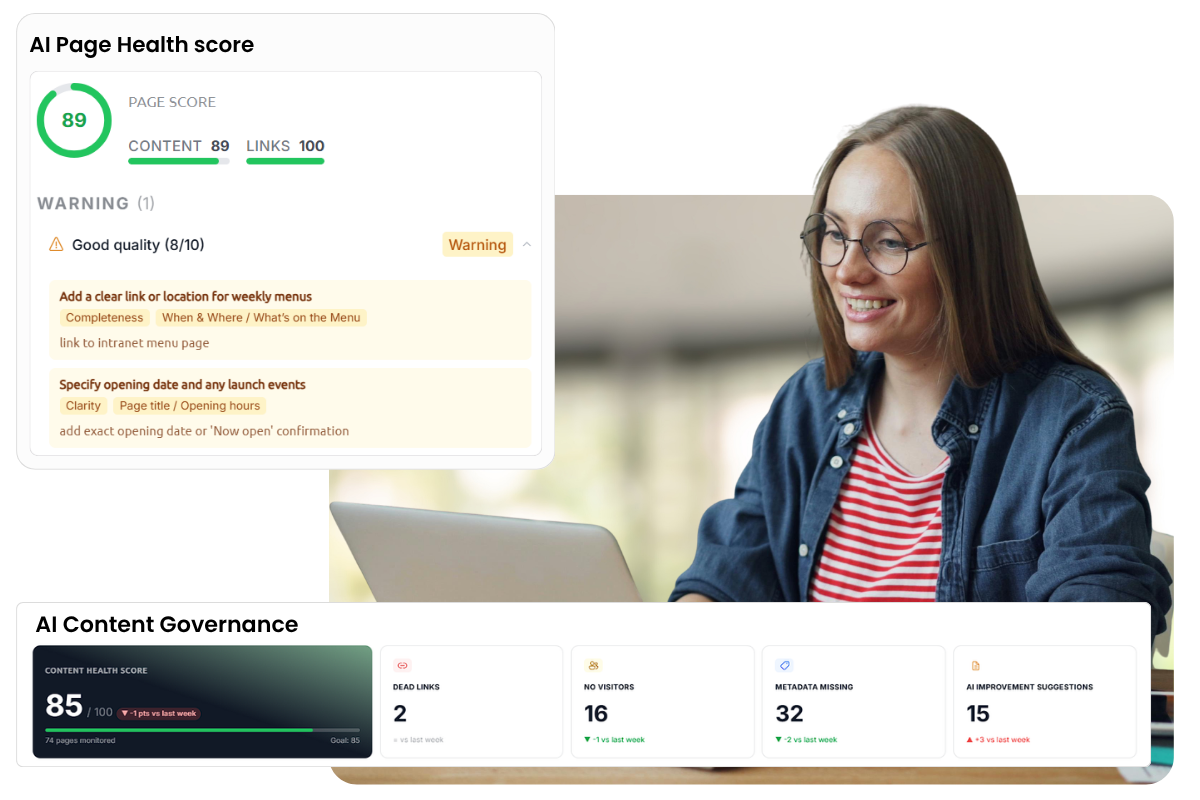
AI powered content governance
AI keeps tone, quality and metadata consistent across the intranet. Suggestions stay suggestions: your team decides what goes live.

You already invested in Microsoft 365 and SharePoint, so the last thing you need is a costly replacement. Involv upgrades your existing SharePoint into a branded, searchable intranet people actually use, built directly on top of what you have. Nothing gets migrated; everything gets better.













Yes. Involv installs on top of your existing SharePoint Online environment, so nothing gets migrated: your pages, documents, permissions and Microsoft 365 tenant stay exactly where they are. On top, you add branding, structure and targeted communication, live within a few weeks.
A SharePoint intranet rarely fails outright. It just fades: fewer visits, an IT team that gets the same questions every day, a communications team that can not touch the homepage without a ticket. Worldwide, only 23% of employees feel engaged at work (Gallup, 2024); an intranet nobody opens does not help.
The SharePoint intranet had a launch day. Months later the newest post is stale and the homepage is mostly a detour to the timesheet system.
Swapping a banner or fixing a typo means asking IT or an external partner. So it rarely happens, and the site keeps drifting further from what people actually need.
Employees try the search bar twice, do not find the procedure, and ask a colleague instead. That is the moment an intranet loses its reason to exist.
Everyone agrees it needs work, but nobody wants a months-long replacement project. So nothing changes, even though you already own the platform it needs to run on.
Involv intranet is built to break exactly this loop: it upgrades the SharePoint you already have, rather than replacing it.
A SharePoint intranet upgrade with Involv is not a rip-and-replace. SharePoint stays the foundation, with every document, permission and piece of history intact. Involv adds a modern experience on top: a homepage employees actually open, targeted news and navigation that makes sense. IT changes very little; employees notice everything.

Involv doesn't replace SharePoint or migrate your data. It installs as a ready-made layer on top of the tenant you already have, adding the structure, branding and 60+ components a finished intranet needs. The alternative is to keep extending what you built in-house, the same way you built it.
| Criterion | Stay on your self-built intranet | Upgrade it with Involv |
|---|---|---|
| What it is | The intranet you built yourself, unchanged since day one | The same SharePoint, with a ready-made layer added on top |
| Time to fix it | Months of new designing, building and testing | Live in weeks, usually 4 with QuickStart |
| Budget | Hourly rates, hard to budget up front | Fixed scope and fixed price |
| Best practices | Figure out what works yourself, again | The experience of 300+ organisations, built in |
| Maintenance | Your IT team or an external party | Automatic updates by Involv |
| Ongoing support | Depends on who built it and whether they're still around | A dedicated success manager and ongoing support |
| Mobile app | Built separately or not provided | Included, in your own branding |
| Data & security | In your own tenant | In your own tenant |
Nine features that give your communications team the tools to run the intranet, not just maintain it.
AI keeps tone, quality and metadata consistent across the intranet. Suggestions stay suggestions: your team decides what goes live.
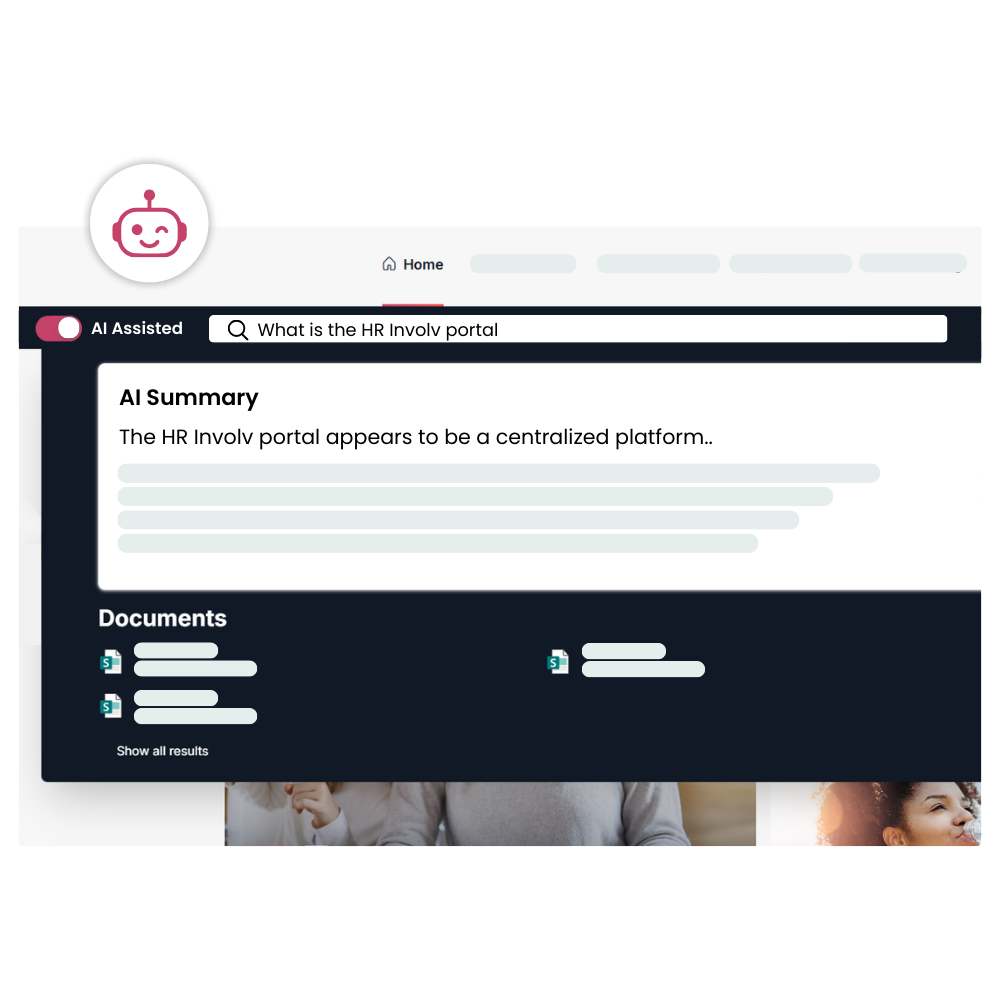
Ask a question in natural language and Involv AI Search gives the right answer straight away, not just a list of links.
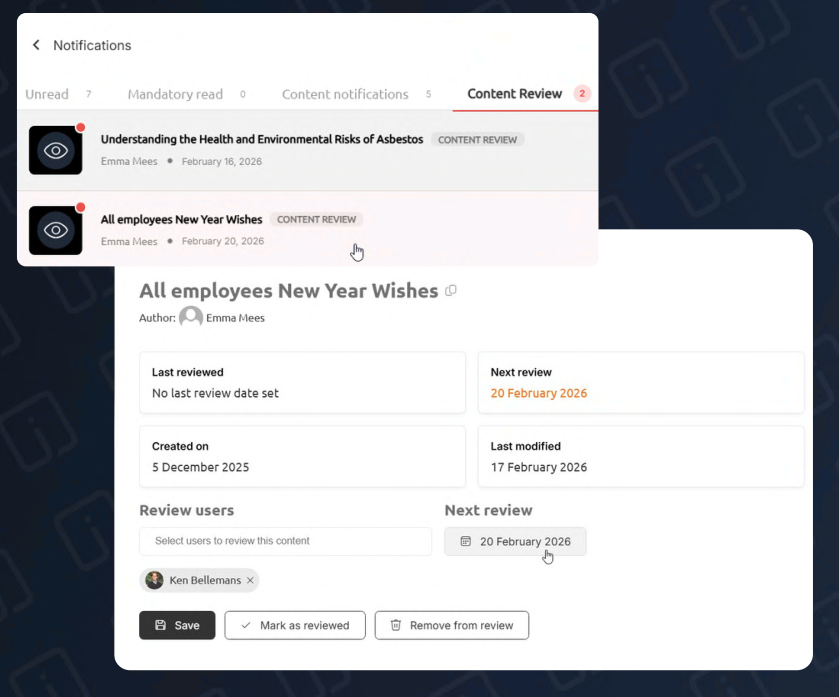
A clear approval flow before anything goes live, no more edits slipping through unchecked.
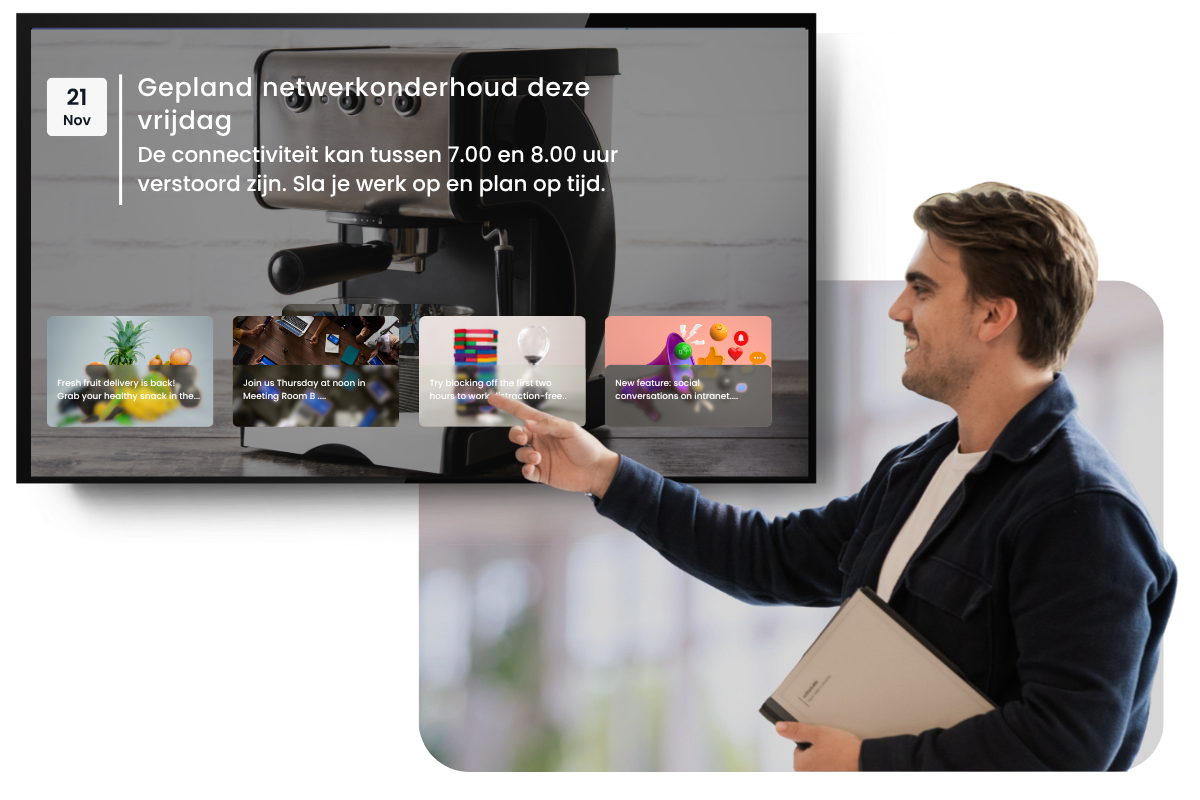
Push news straight to the screens in your hallways and canteens.
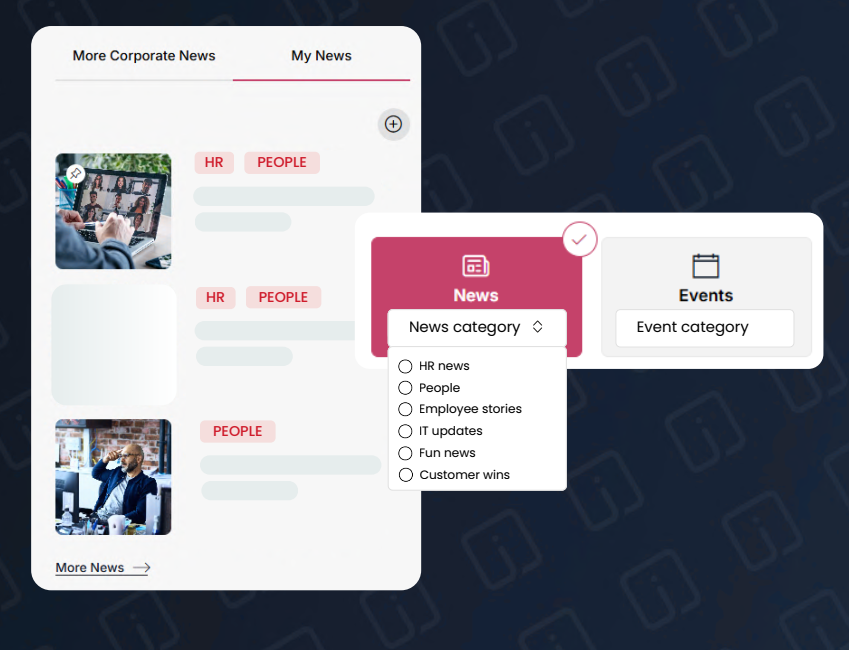
Your people choose which news categories they follow, so the feed stays relevant.
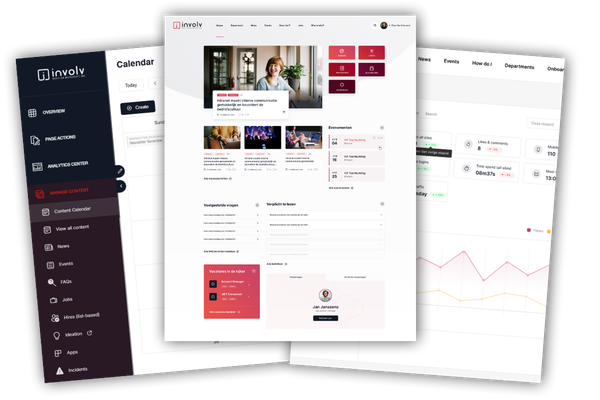
See what's read, what's searched and what's ignored, in one dashboard.
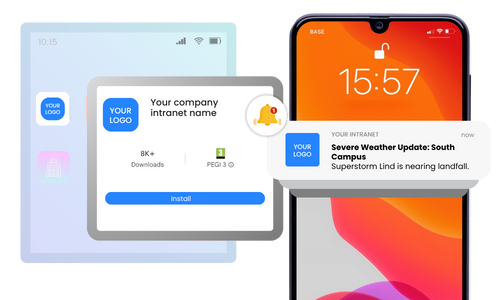
News, colleagues and files on mobile, fully in your intranet's branding.
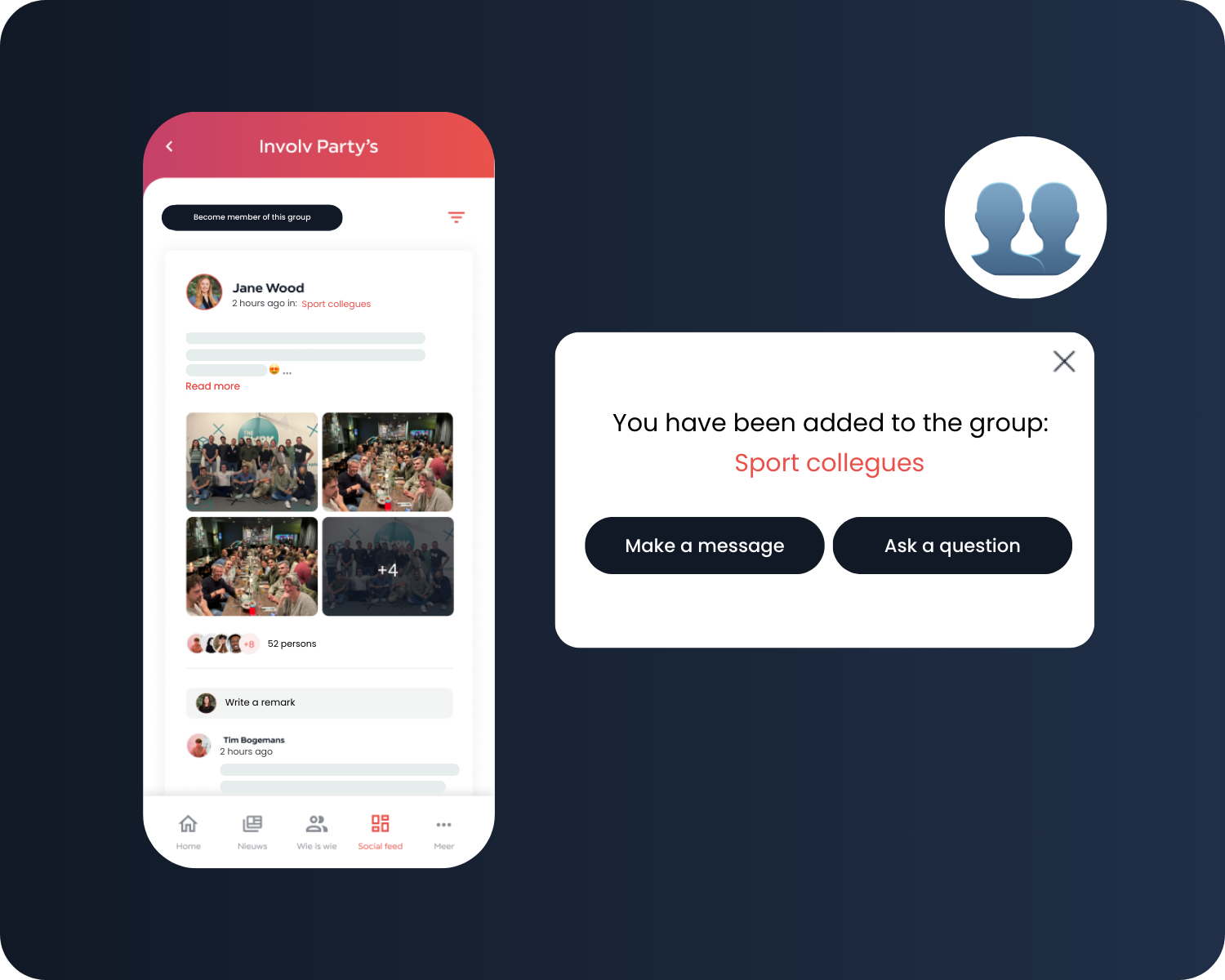
A personalised feed: people follow what matters and mute what doesn't.
Send newsletters tailored to each reader, fully on-brand, no design help needed.
After the upgrade, your communications team publishes news, pages and updates itself, no code, no waiting on IT. IT defines the guardrails once and steps back from day-to-day text changes. The intranet finally runs on the rhythm of a newsroom instead of a ticket queue.
An Involv upgrade is a defined project, not an open-ended one. With the Involv QuickStart package, your upgraded intranet is typically live within weeks, at a fixed scope and a fixed price.
A hospital in Antwerp, Belgium, upgraded its outdated SharePoint 2013 intranet with Involv, for around 2,400 employees.
 Joanne De Roeck · Head of Communication and Executive Secretariat, AZ Klina
No. Involv is installed on top of your existing SharePoint Online environment. Nothing is moved or converted, you add a modern intranet layer to what is already there.
They stay exactly where they are. SharePoint remains the place where documents and pages live; Involv makes them easier to find and presents them in a clear, modern environment.
Yes. This upgrade path is for organizations that already have a live SharePoint intranet in daily use and want to modernize it. If you are setting up SharePoint as a new foundation from scratch, see how Involv builds an intranet on SharePoint instead.
Typically a few weeks. With the Involv QuickStart package, your upgraded intranet is usually live within weeks, at a fixed scope and a fixed price.
Yes. Colors, logos and layouts follow your branding, down to the mobile app. After the upgrade, your intranet looks like your intranet, not a default Microsoft environment.
No. Access and permissions keep running through your own Entra ID, and your existing security and compliance policy still applies. All data stays in your own Microsoft 365 tenant.
See in 30 minutes what your existing environment looks like after the upgrade. Tailored to your setup, no obligation.