



Microsoft Teams vs. your intranet: not the same tool, not the same job.
Teams and an intranet solve different problems: Teams is for chat and meetings, an intranet is for company news, policies and structure. Involv adds that missing layer, built into your Microsoft 365 tenant and reachable natively from inside Teams.
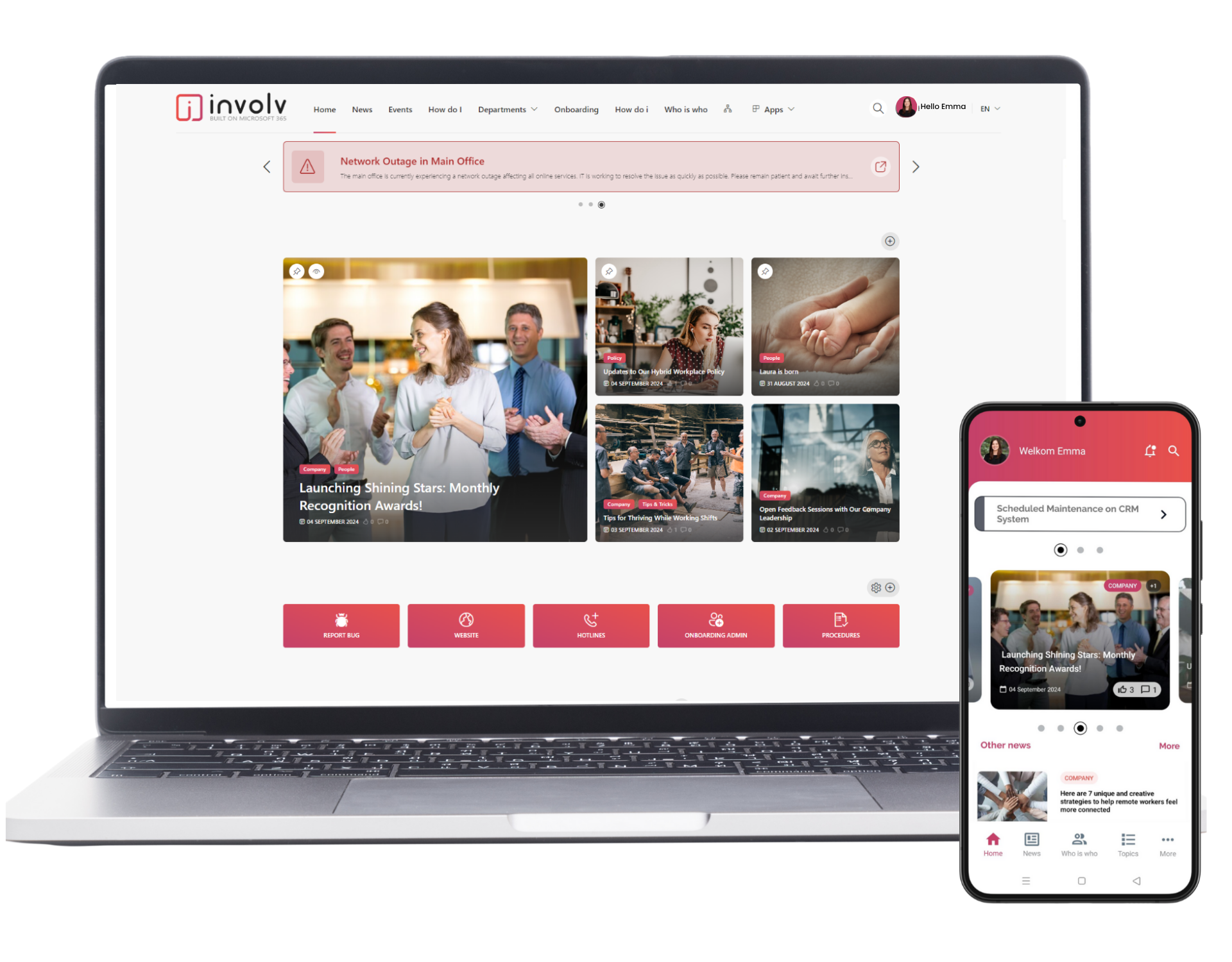








Do you still need an intranet if you already have Teams?
Yes. Microsoft Teams is built for conversation: chat, channels and meetings. It was never designed to be your company's home page. Involv intranet adds that missing home page, and brings it natively into Teams, right where your employees already are.
Learn more about Involv intranet in Microsoft Teams →
What Teams is for, and what your intranet is for
| Microsoft Teams | Involv intranet | |
|---|---|---|
| Core function | Conversation between people: chat, meetings | Communication from the company: news, policy, structure |
| Structure | Flat, chronological feed per channel | Structured, persistent pages |
| Reach & targeting | Same message to everyone in a channel | Targeted by role, location or team |
| Governance | Usually no clear content owner or review cycle | Owned content with a lifecycle |
| Findability | Searches messages, files and people inside Teams and connected Microsoft 365 content | One governed search across company-wide content, policies and people |
| Branding | Same for every Microsoft 365 company | Fully in your own brand |
| Org structure | No built-in org chart | Built-in who's-who |
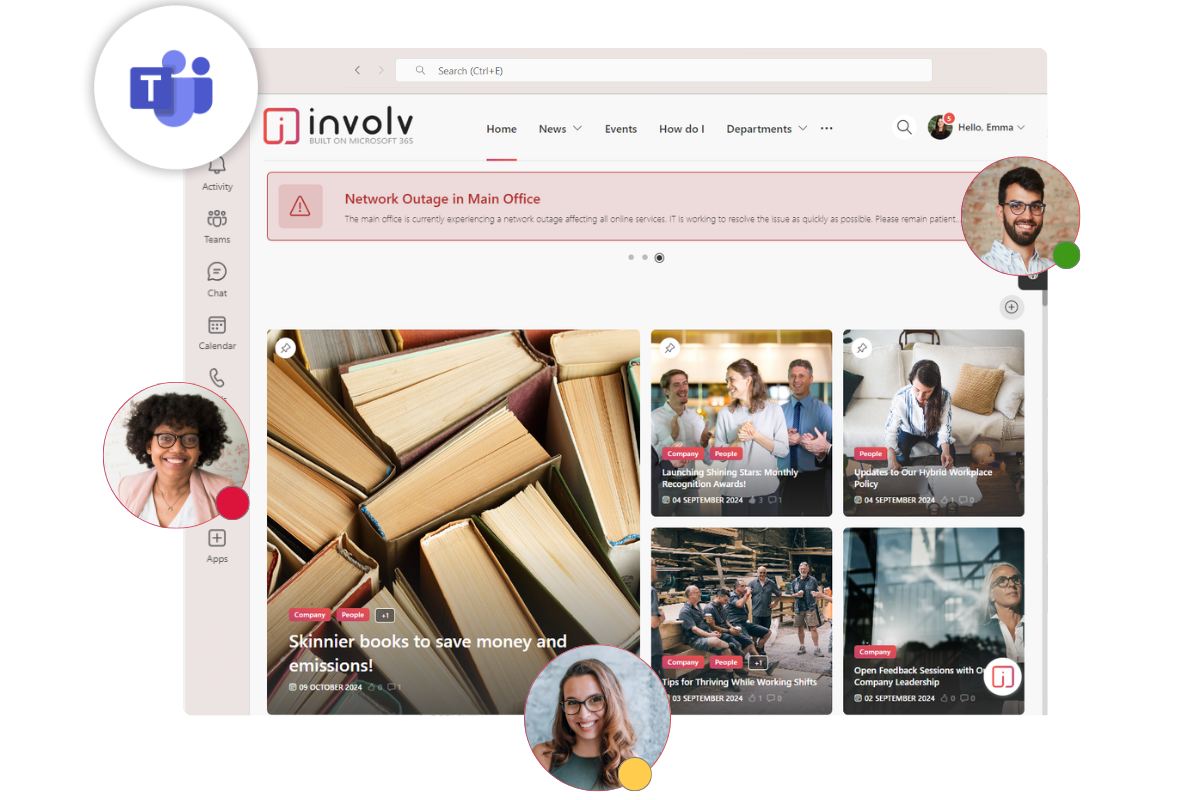
Your SharePoint intranet, visible where your team already works
Involv intranet is built natively on top of Microsoft SharePoint and integrates directly with Microsoft Teams. Company news, search and notifications appear right where your team already works, so adding Involv brings structure and governance to SharePoint without replacing Teams or asking anyone to change habits.
- Built on your existing SharePoint, no migration needed
- Company news and notifications inside Teams, no extra app to open
- One search across intranet content, policies and people
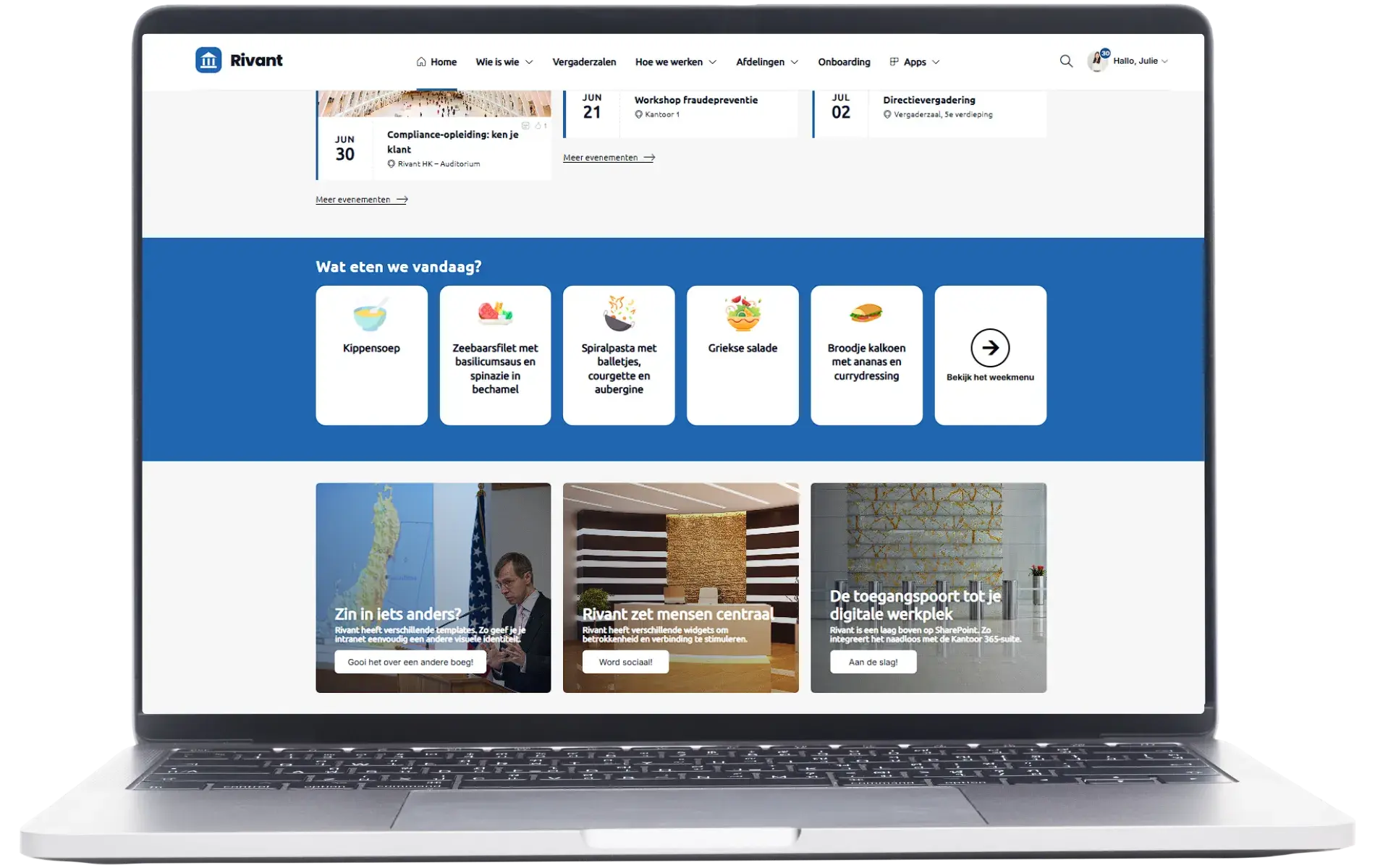
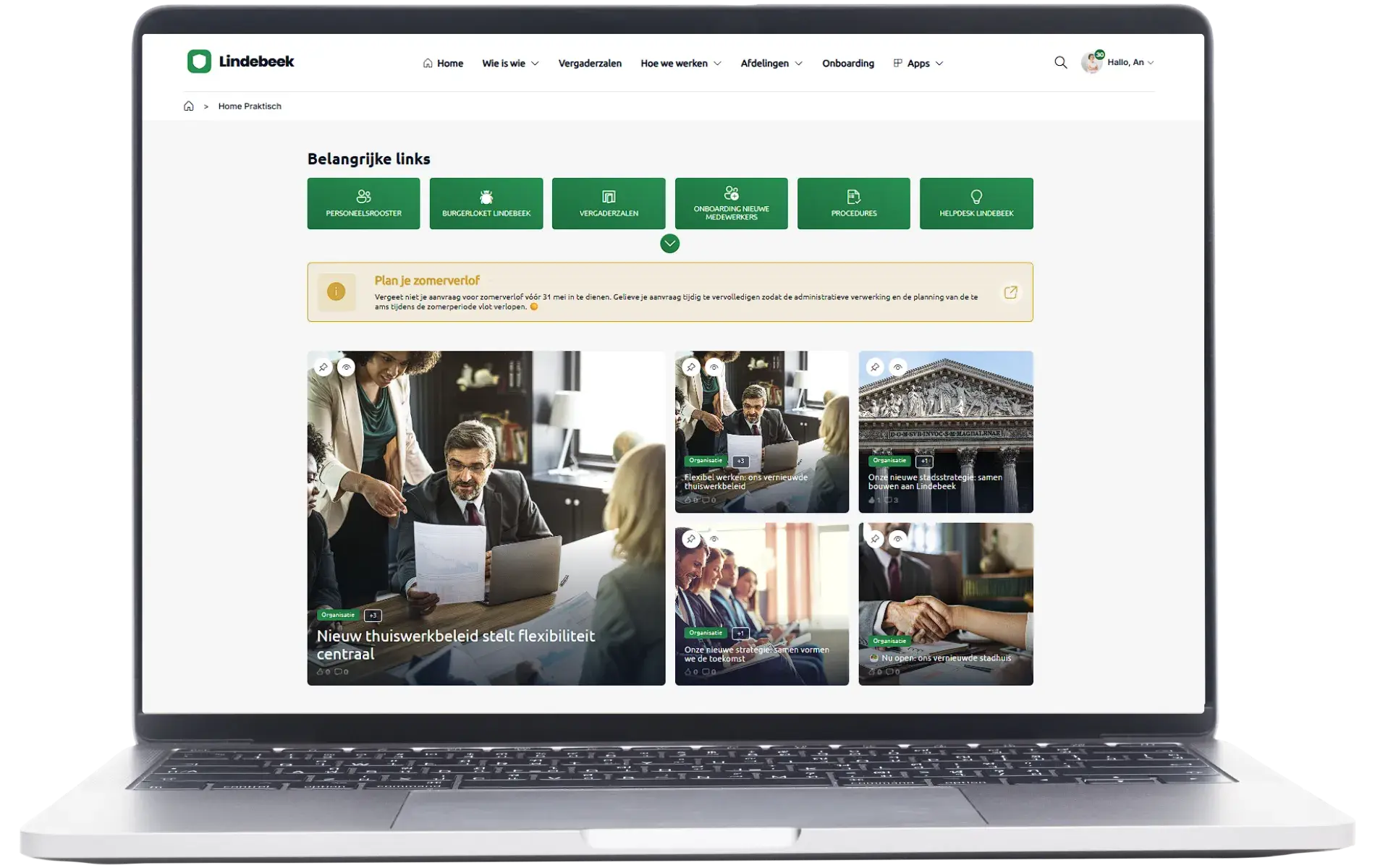
A fully personalised intranet
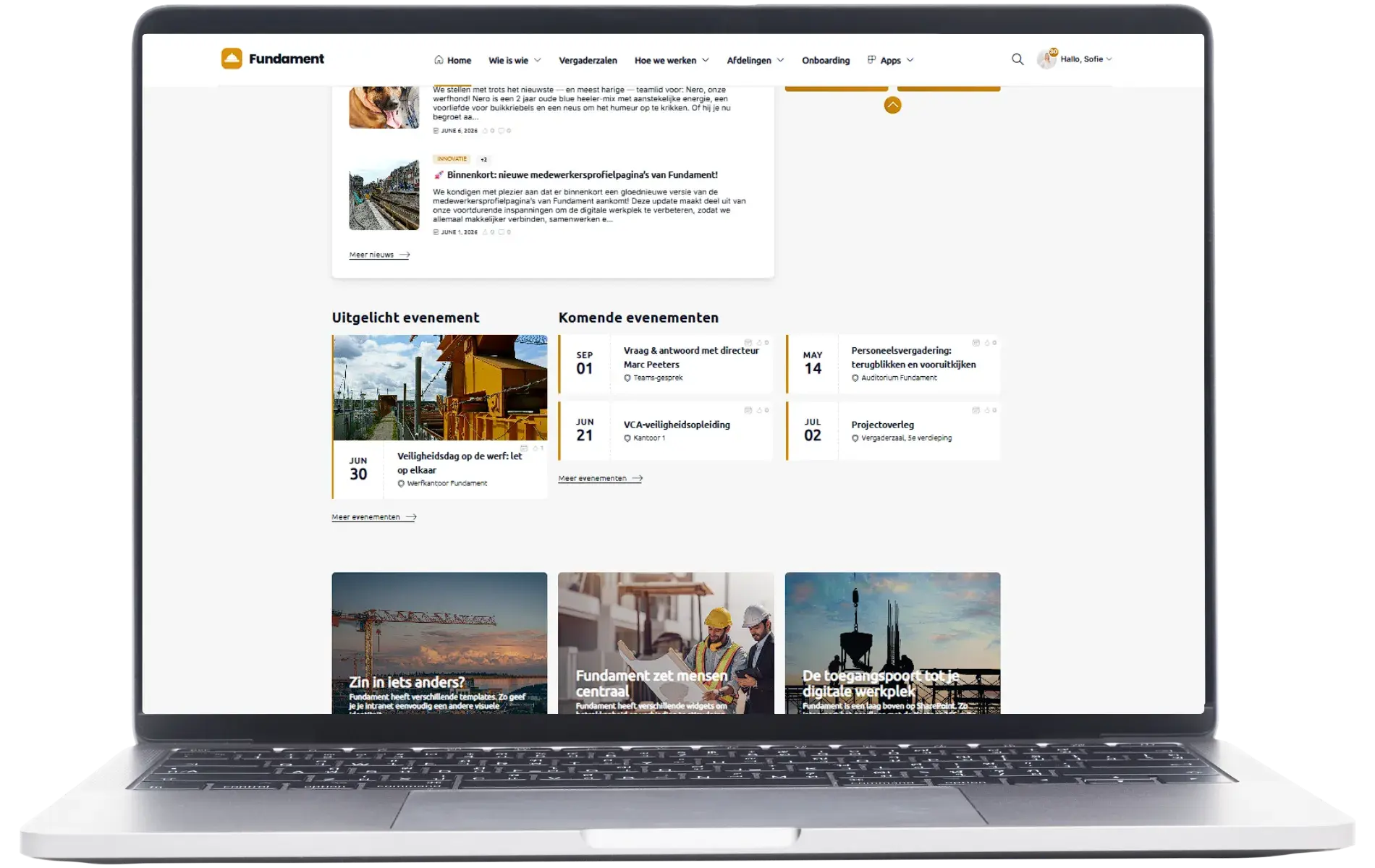
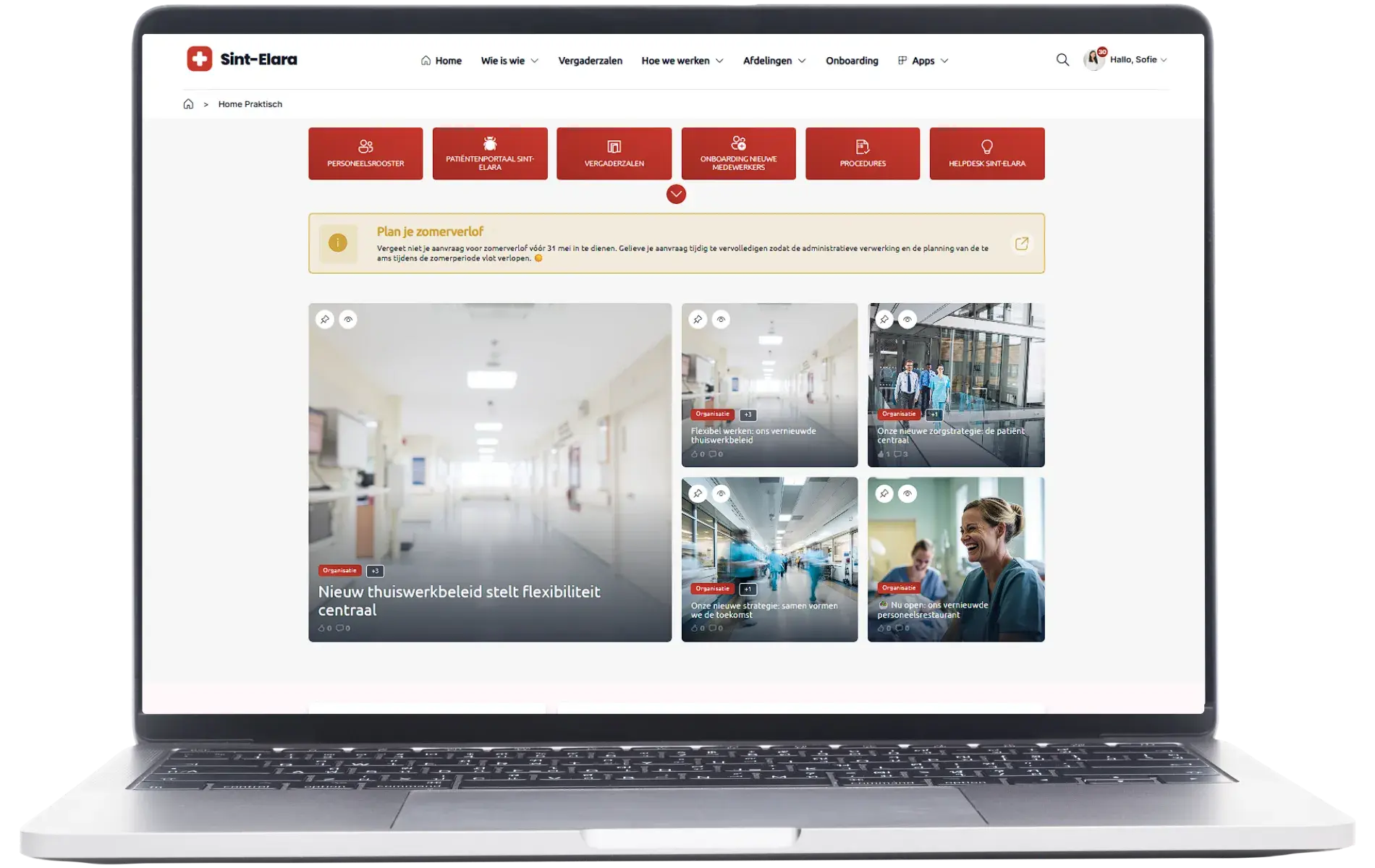
Your intranet takes on the full look and feel of your organisation, just like your public website. You decide which features take centre stage, tailored to what really matters to your people.
- Your logo, colours and branding everywhere, even in the mobile app
- The same look and feel as your public website
- Built with the components that matter to you
An intranet employees actually use

 ClearBox 2026:
Best for Value
- 300+ organisations worldwide
- data in your own Microsoft 365 tenant
- native in Microsoft Teams
One thing that really stands out about Involv is the little enhancements. They make things quicker, easier and more effective.
Discover how other organisations use Involv every day.
SharePoint, Teams and Involv: the questions we hear most
Does Involv replace Microsoft Teams?
No. Involv intranet builds on your existing SharePoint and works alongside Teams, natively integrated with it. Teams stays your tool for chat and meetings; Involv turns SharePoint into the branded home, governed content and structured navigation Teams was never built to provide.
We already have Teams and SharePoint. Why add anything?
Teams and SharePoint each do one job well: conversation, or pages and files. On their own, SharePoint often stays underused. Involv intranet turns your SharePoint into a single, user-friendly hub with clear navigation and content governance, natively visible in Teams, so employees have one place to go instead of two.
Where does our data stay?
All data stays in your own Microsoft 365 tenant, fully secured within that environment.
Do employees need to leave Teams to use the intranet?
No. Company news, search and intranet resources are visible and usable from inside Teams itself. Employees keep working in one place.
How fast can we get started?
Involv intranet comes with the functionality most organizations need out of the box, so setup is fast. Most organizations have a working intranet live within weeks, connected to their existing Microsoft 365 tenant.
Your intranet in Microsoft Teams
See Involv in 30 minutes, set up around your own situation, with no obligation.