


When we rolled out an AI tool at Involv, we had prepared it well: an announcement for the whole team and skills for each department. Yet a few weeks later, half of our colleagues still hadn’t installed the app. The tool wasn’t the problem. What was missing was everything that should have come after the announcement.
At the Digital Workplace Conference in Brussels, Michelle C. Okwudiafor, an international speaker and strategic communications and transformation professional, put her finger on exactly that. In her session “The human side of AI”, she drew on her experience in organisational change, culture and governance to show what happens when a new AI tool is announced with a single email on a Monday morning. Employees first wonder what it means for their job, and as long as nobody answers that, they leave the tool untouched. Her TRUST framework shows how trust drives meaningful AI adoption, bringing together the five questions you need to answer before employees will trust an AI tool.
In this article, you’ll read how to do that, in your announcement and in the weeks that follow, and what did and didn’t work for us.
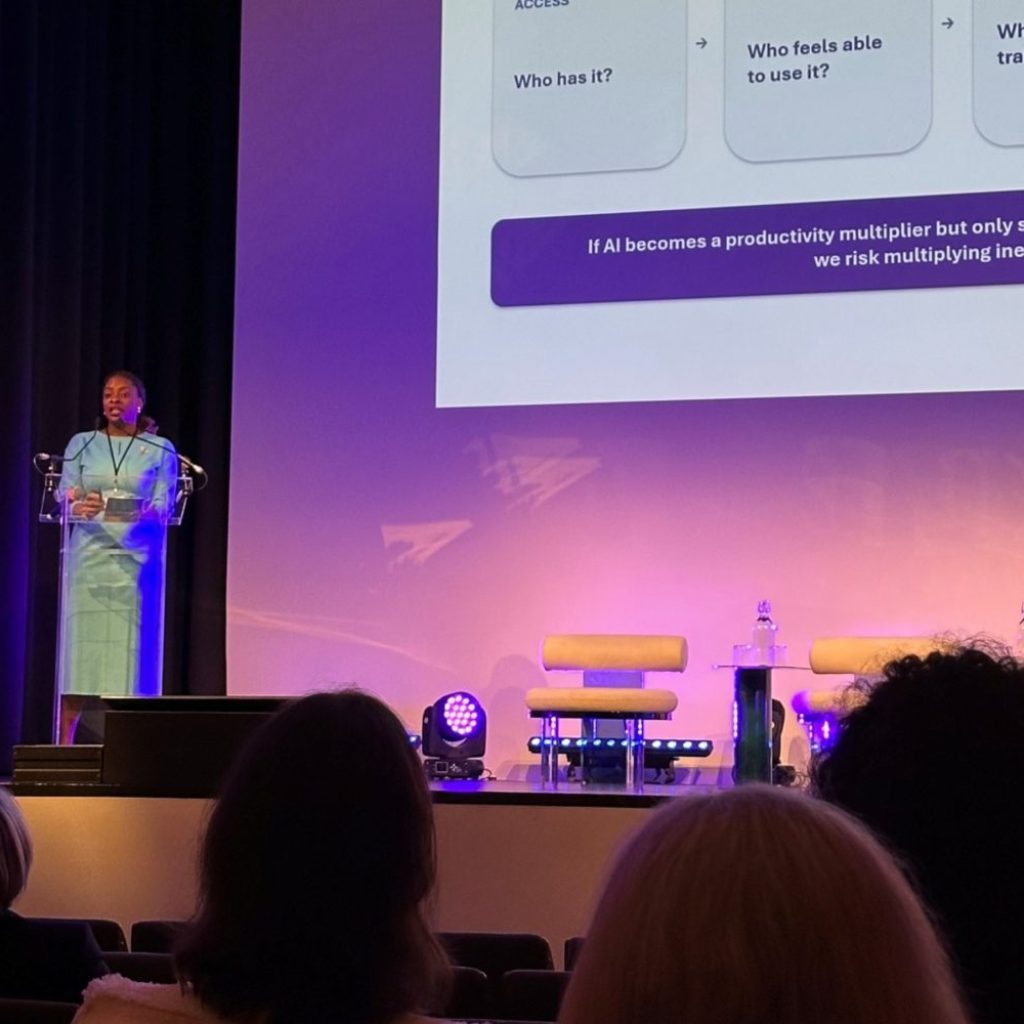
Michelle C. Okwudiafor during her session “The human side of AI” at the Digital Workplace Conference in Brussels (September 2026)
Why does a mandatory AI rollout rarely work?
Making a tool mandatory doesn’t take away employees’ uncertainty. People who don’t know what a tool means for their job simply don’t use it, mandate or no mandate.
The session opened with a familiar scenario. Aisha, a fictional employee who has been with the same company for eight years, receives an email on a Monday morning. There’s a new AI tool that will change her work, and anyone who doesn’t use it can expect consequences. No further explanation follows. Aisha is good at her job and has nothing against change, but she mostly reads that email as a threat. Am I going to be replaced? Is someone monitoring what I do?
The session gave that gap a name: “the promise versus the panic”. Leadership sees an investment that makes work faster, the employee sees uncertainty.
Aisha is not the exception. In WalkMe’s State of Digital Adoption 2026 report, a survey of 3,750 executives and employees in 14 countries, 54% of workers say they bypassed an AI tool and completed the task manually at least once in the past 30 days. And Henley Business School’s AI pulse check among 2,900 full-time UK workers shows that 61% feel overwhelmed by the pace of AI development.
Which five questions do you need to answer before employees trust an AI tool?
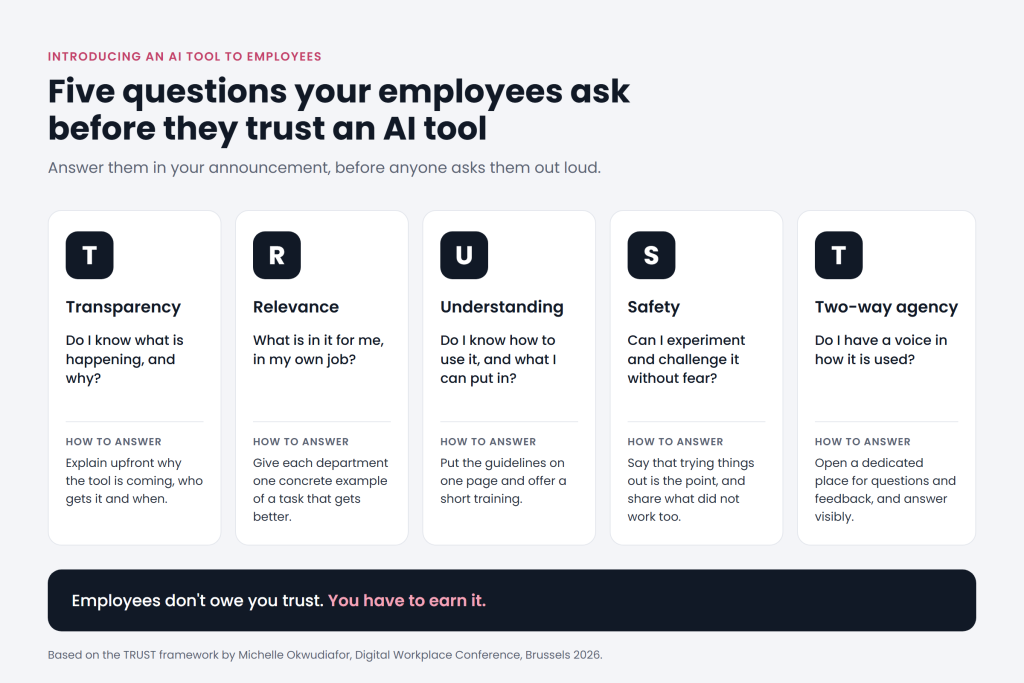
The TRUST framework brings together five questions you need to answer as an organisation before you ask your employees to trust an AI tool: do they know what is happening, what’s in it for them, how it works, whether they can make mistakes and whether they can say it isn’t working?
“Employees don’t owe you trust,” Michelle said. Having spent a lot of money on a tool and an AI policy doesn’t change that. During the Q&A, an attendee sharpened the point: trust without understanding is blind trust, and with AI that is more of a risk than a goal.
The name comes from the first letters of the five elements: transparency, relevance, understanding, safety and two-way agency. The questions themselves are simple. The work lies in what you do as an organisation to answer them, and that is what the rest of this article is about.
What should an internal announcement of an AI tool include?
A good announcement answers the five questions before employees ask them, and points to one dedicated place they can return to later.
Here’s what that looks like in practice, question by question:
| The employee’s question | The Monday morning email | What to do instead |
|---|---|---|
| Transparency: do I know what is happening and why? | The tool lands in the inbox unannounced | Explain upfront why the tool is coming, who gets it and when, ideally through people’s own manager and not just by email |
| Relevance: what’s in it for me? | Promises efficiency for “the organisation” | Give each department one concrete example of a task that gets faster or better |
| Understanding: when do I use it, and what can I put in? | Says nothing about it | Put the guidelines on one page: what information is allowed, what isn’t, and who to call when in doubt |
| Safety: am I allowed to make mistakes? | Threatens consequences | Say explicitly that trying things out is the point, and let managers show that they’re still figuring it out too |
| Two-way agency: can I say it isn’t working? | No channel to respond at all | Open a dedicated place for questions and feedback, and answer there visibly |
How to read this: put your own latest announcement next to the middle column. Every row you recognise yourself in is a place where adoption will stall, before the first employee even logs in.
How do you keep communication alive after the launch?
The announcement is only the beginning. Whether a tool sticks is decided in the weeks that follow.
Michelle put it this way: culture is what happens on Tuesday morning. Not what the AI policy says, but what people believe is safe to do. Does Aisha dare to experiment, admit she doesn’t know something, challenge the output or say it isn’t working? If your policy encourages experimentation but your culture punishes mistakes, your culture wins. As internal communications, you can actively encourage those Tuesday moments. A few low-cost ways to do it:
- One dedicated AI page on your intranet. Guidelines, examples per department, an FAQ and the contact people all in one place. The FAQ grows with the questions that actually come in.
- Examples from colleagues, not from the vendor. A short post from a colleague in finance about how she prepares her monthly report is more convincing than a product video.
- Share the misses too. A regular feature on what didn’t work, and why, makes it safer for others to try things themselves.
- Answer questions publicly. A question that visibly gets an answer helps the ten colleagues who had the same question but didn’t ask it.
- Don’t forget non-desk employees. People who work in production, healthcare or logistics easily miss an email or Teams message. As Michelle pointed out sharply: if AI multiplies productivity but only some employees have access to it, you multiply inequality too. A mobile app or screens on the work floor keep you from building a two-speed organisation.
How did Involv introduce an AI tool across all departments?
We started with marketing, built skills for each department from there, and soon found that an announcement alone wasn’t enough.
When we introduced our AI tool at Involv, the whole company didn’t get access straight away. Marketing went first and found out what worked. From there, we built skills for sales, customer success, support and the other departments: fixed instructions that let the AI tool carry out a recurring task the way that team does it. A sales colleague who needs to answer a prospect’s question, for example, immediately gets the official answers and the right references. Marketing maintains that source, so the same information is used everywhere. Each department got a tool that already did something useful for its own work, instead of an empty chat window with the instruction “do something with it”.
After that, everyone got access, and as you read in the introduction, a few weeks later half of our colleagues still hadn’t installed the app. So we organised a lunch and learn for the whole team, and that’s where someone said the line that sums up the whole problem: having an account is not the same as having a habit. Exactly the point of the Monday morning email, but in our own team. In Brussels, Michelle showed a simple model: first you make the technology available, then behaviour has to follow, then trust, and only at the end does culture change. You can deploy AI without transforming anything. After that announcement, we were still at step one.
What happened during our first lunch and learn?
Smos & Skills (named after the classic Belgian sandwich everyone got for lunch) was an interactive lunchtime session with clear ground rules, real examples from colleagues and an open question for everyone.
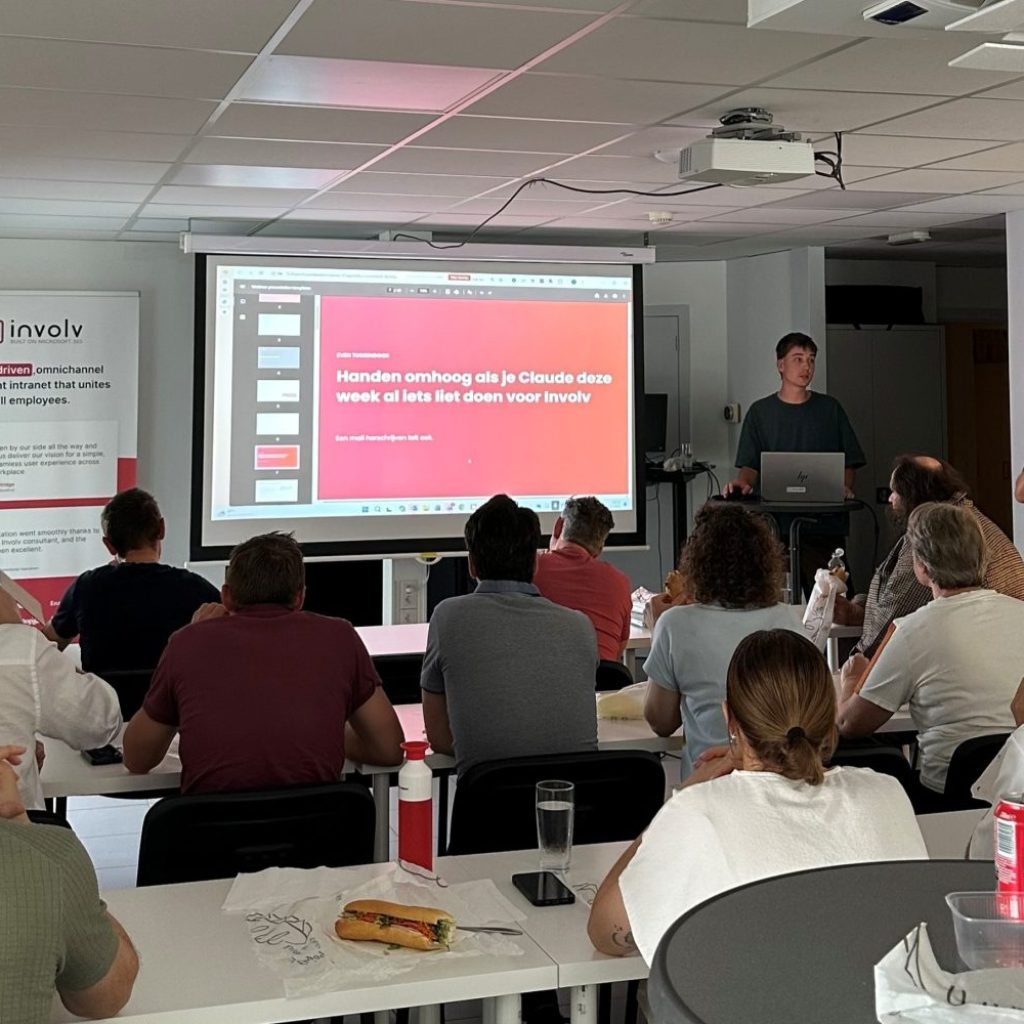
Smos & Skills, our first lunch and learn about AI at Involv Intranet
Why at lunchtime? Experimenting takes time, and meanwhile the regular work still has to get done. That concern also came up from the audience in Brussels. Michelle’s answer was down to earth: where are we actually rushing to? If you push a rollout through without training people, you get stuck a quarter later and have to buy that time back anyway. A lunch and learn makes that time feel lighter: an informal moment over a sandwich we provided, rather than one more meeting in an already full calendar. And, as another attendee in Brussels put it: experimenting is allowed to be fun, too.
The session started with the basics, so that even those who hadn’t used the AI tool yet could follow along straight away. Because talking with a sandwich in your hand isn’t easy, we worked with statements: whenever a red slide appeared, everyone raised their hand for yes or no. Have you used the AI tool for your work this week? Is the app installed on your laptop? That showed us right away where we stood, without a survey. And there was good news straight away: the invitation for the session included the installation instructions, and when we asked who still didn’t have the app, not a single hand went up.
Then came the ground rules, short and concrete. Always check your output, because final responsibility stays with you. Confidential information and personal data stay within the approved environment. Keep personal use separate from your work. And a rule of thumb to remember: spend 10% of your time on a good question, let the AI do 80% and use the last 10% to check everything.
Colleagues then showed how they use the skills in their own work: preparing a meeting, reviewing a conversation afterwards, creating a product ticket. There were critical questions too, including where the data of certain tools ends up. Those questions were answered in the room, and that matters at least as much as the demos.
An explicit goal of the session was knowledge sharing. It turned out that two colleagues had built almost the same skill, independently of each other. That’s why all articles, an overview of the existing skills and a prompt sheet are now in one place on our intranet, and new skills are managed centrally. Through quick links, each team immediately sees the skills, prompts and shared dashboards that are relevant to them. The agreement: check what already exists before you start building something yourself.
We closed with a question for everyone: which task do you do every week that you’d rather not do? We work out the ideas that come in together and turn them into new skills. That way, the next step comes from colleagues themselves.
What does our approach teach us about the five questions?
Looking back, a lunch and learn answers most of Aisha’s questions, provided it’s more than a demo. But not everything went smoothly.
Marketing acted as a pilot team, so the first mistakes had already been made before everyone else came on board. Skills per department make the tool relevant to everyone’s own work. The ground rules create understanding of what is and isn’t allowed, and the statements and questions from the room show that doubt and criticism are welcome. The closing question gives employees a say in what gets built next.
There are two things we would do differently next time. We assumed an announcement was enough, while only the question in the room showed how far along we really were. So measure who uses the tool from day one. And the fact that two colleagues independently built almost the same skill was time we could have spent better. A central place for skills and an agreement on who builds what belong there from the start, not only once the duplicate work has already happened.
What does successful AI adoption look like after six months?
The employee uses the tool, questions the output, takes final responsibility and helps think about how it can improve.
If an organisation takes this approach, Aisha works differently six months later. The goal was never blind trust, Michelle said, it was informed trust. Aisha knows when the tool helps and when it doesn’t. She knows the responsibility for the result lies with her, not with the software. And because AI itself doesn’t stand still either, she helps think about how it can get even better.
Adoption, Michelle C. Okwudiafor concluded, only happens when behaviour changes. A rollout and a budget are the starting point, nothing more.
Where do you start?
Take the latest announcement of a new tool in your organisation and put it next to the table above. Pick the row where it scores weakest and tackle that first, before you launch the next tool.
Then choose one team to start first, have it work out a few applications for the rest of the organisation, and plan a first low-threshold moment where colleagues can ask questions, before the broad launch. That can be a lunch and learn, but also a short demo in a team meeting or a regular AI drop-in hour. Don’t forget non-desk employees: a briefing at the start of a shift or a short video with a question thread on the intranet reaches them better than a lunchtime session. What gets asked in those moments is the best material for your next internal communication about AI.
Want to see how your intranet becomes one dedicated place for your AI guidelines, examples and questions, including for non-desk employees?
Frequently asked questions
How do you announce a new AI tool internally?
Explain upfront why the tool is coming, who gets it and when. Give each department a concrete example of what it delivers, put the guidelines on use and sensitive information on one page, and open a dedicated place for questions and feedback. Ideally, have people’s own manager deliver the message too, not just a general email.
Why don't employees use an AI tool, even when it's mandatory?
Usually because they don’t know what the tool means for their own job. A mandate doesn’t take that uncertainty away. As long as employees wonder whether they’ll be replaced, whether they’re being monitored and what they might do wrong, they’d rather stick to their familiar way of working.
What is a lunch and learn about AI?
A short, informal session over the lunch break where colleagues show how they use an AI tool and everyone can ask questions. Because the threshold is low, questions come up that often go unasked in a formal training. At Involv, Smos & Skills was the first edition, and we plan to repeat the session regularly. If many colleagues work in shifts or without a fixed desk, you’ll reach them better with a short briefing at the start of a shift or a video with a question thread on the intranet.
Should you roll out an AI tool to the whole organisation at once?
Not necessarily. If you start with one team, that team makes the first mistakes and discovers what works. From there, you can prepare applications for the other departments, so everyone gets something useful for their own work from the start.
Doesn't AI adoption slow down if you make time to experiment?
At first, yes. But a rollout that skips that time gets stuck later, when employees don’t use the tool or don’t know it well enough. The time you don’t invest upfront, you have to make up for afterwards.
Sources
- Okwudiafor, M. (September 2026). The human side of AI, session at the Digital Workplace Conference, Brussels.
- WalkMe (9 April 2026). State of Digital Adoption 2026. Survey of 3,750 respondents (1,700 senior leaders and 2,050 office and hybrid workers) at enterprises with more than 1,000 employees, in 14 countries. 54% of workers bypassed an AI tool and completed the task manually at least once in the past 30 days.
- Henley Business School (4 June 2026). Hype versus reality: A 12 month AI pulse check. Survey of 2,900 full-time workers in the United Kingdom, across 29 sectors. 61% feel overwhelmed by the pace of AI development.