


The costs of choosing the wrong intranet software don’t show up in week one. They show up eighteen months in, when adoption has stalled, IT is fielding integration tickets nobody budgeted for and someone asks why the comms team still can’t target a single message to one department.
Quick answer: choosing the right intranet software means evaluating it against ten criteria – publishing tools, engagement features, search, personalization, Microsoft 365 integration, SharePoint fit, mobile access, analytics, security and total cost of ownership – then scoring finalists against your own workforce, not a generic feature list. The right platform for a 250-person head office looks nothing like the right platform for 5,000 employees split across frontline and desk roles.
What you’ll learn in this article:
- The three buying paths every organisation is really choosing between
- Ten evaluation criteria that separate a working intranet from a shelfware one
- A copy-and-use scorecard to compare vendors on your own terms
- Twelve questions to ask in every vendor demo before you sign anything
- Answers to the objections every comms lead and IT director will raise
Why this decision is harder than it looks
Every intranet vendor claims to solve “internal communication.” Almost none of them tell you which part of the problem they actually solve.
Internal comms teams don’t fail at intranet selection because they pick a bad product. They fail because they buy for the pitch deck instead of the org chart. A platform that dazzles in a demo with slick news templates can still leave a 3,000-person manufacturer without a way to reach forklift drivers who don’t have a company laptop. A tool built for a Google Workspace shop can require months of custom development to talk to the SharePoint document libraries your legal and HR teams already depend on.
The cost of getting this wrong isn’t abstract. A misfit intranet shows up as low adoption within the first ninety days, a comms team drowning in manual segmentation because the platform can’t target content by role or location and an IT department fielding integration tickets that were never budgeted. Replacing an intranet two years in is expensive and disruptive. As more than one comms leader has learned the hard way, it’s a project you’ll only want to run once.
“Internal comms teams don’t fail at intranet selection because they pick a bad product. They fail because they buy for the pitch deck instead of the org chart.”
The three buying paths
Before comparing individual products, decide which path you’re actually on. Nearly every option on the market falls into one of three categories and the category matters more than any single feature.
| Path | Profile |
|---|---|
| Path 1: Build it yourself on SharePoint | Maximum control. Commonly 14+ months to launch. Every future change competes with IT’s other priorities. |
| Path 2: Ready-to-go layer on Microsoft 365 | Installs inside your existing tenant. Fixed scope. Speed of a packaged product with your existing security model. |
| Path 3: Standalone employee experience platform | Hosts content outside your Microsoft tenant. Consumer-style social experience, second identity system to manage. |
Path 1: Build it yourself on SharePoint
Microsoft 365 already includes SharePoint Online and for companies with strong internal development resources and light communication needs, a custom-built site can work. The tradeoff is time and maintenance: research from Nielsen Norman Group has found that custom SharePoint intranet builds commonly take fourteen months or longer to reach launch and every redesign, new template or mobile requirement afterward competes with your IT team’s other priorities.
Path 2: A ready-to-go layer built on Microsoft 365
These products install directly inside your existing SharePoint and Microsoft 365 tenant (no separate hosting, no new place for your data to live) and add the branding, navigation, publishing tools and personalization that bare SharePoint doesn’t include out of the box. You get the speed of a packaged product with the security and identity model you already have through Microsoft Entra ID.
Path 3: A standalone employee experience platform
These connect to Microsoft 365 through APIs but host your content on their own infrastructure, outside your Microsoft tenant. That can mean a more consumer-style social experience, but it also means a second identity system to manage, a second place your data lives and a migration project waiting for you if you ever switch providers.
None of these paths is universally “best.” A 250-person single-site company with a simple comms need might be perfectly served by Path 1. A 10,000-person global enterprise that has already standardised on Google Workspace has good reasons to consider Path 3. Most mid-market and enterprise organisations already invested in Microsoft 365, however, land on Path 2 because it avoids both the multi-month build of Path 1 and the data-residency and integration tax of Path 3.
10 criteria for evaluating intranet software
1. Internal communication and publishing tools
This is the baseline. Ask whether the platform supports scheduled news publishing, approval workflows before content goes live, mandatory-read acknowledgment tracking for compliance-critical updates and templated layouts editors can use without touching code. A platform that requires a developer to publish a news post will lose your comms team’s confidence in week one.
Look specifically for multichannel publishing: the ability to write a news item once and have it appear on the intranet homepage, in Microsoft Teams, in an email newsletter and on the mobile app, without manually reformatting it four times.
2. Employee engagement features
Internal communication and employee engagement are related but not identical. Communication pushes information out; engagement invites people back in. Evaluate social feeds and comment threads, recognition tools for birthdays and work anniversaries, polls and surveys, plus community or interest-group spaces.
Engagement features only matter if people actually see them, which is why this criterion is inseparable from personalisation and search. A comment feature nobody finds is not an engagement feature.
3. Search functionality
Search is where most intranets quietly fail. If employees have to guess a document’s exact title or click through three levels of navigation to find a policy, the platform is adding friction, not removing it.
At minimum, evaluate whether search covers documents, news, people and FAQs from a single search bar; whether it understands synonyms and common misspellings; and whether results respect the same permissions employees already have, so search never surfaces something they aren’t allowed to open. Increasingly, the bar has moved higher: AI-powered search that summarises an answer directly (rather than returning a list of links to click through) and people-finder tools that answer questions like “who handles expense approvals in Belgium” are becoming standard requests rather than nice-to-haves.
If a vendor’s AI search runs on your own cloud infrastructure with the same permission checks as regular search, that’s a meaningfully safer architecture than a black-box, hosted-elsewhere alternative.
4. Personalised content
A 5,000-person company publishing one undifferentiated news feed to everyone is not communicating. It’s broadcasting and most of it will be irrelevant to most readers. Personalised content means the platform can target what an employee sees based on their role, department, location or language, automatically, using data that’s already in your directory.
Test this specifically: can a comms manager publish one update and have it show up only for warehouse staff in one country, without manually building a distribution list? Can the homepage itself change based on who’s logged in: showing a factory worker their shift schedule and a finance employee their expense system? Platforms that treat audience targeting as a core, built-in capability across news, navigation and homepage layout will save your team hours every week compared to ones that bolt it on as an afterthought.
5. Microsoft 365 integration
For any organisation already running Microsoft 365, integration depth determines how much of your existing investment the intranet actually uses. Ask precisely what “integrates with Microsoft 365” means for each vendor: there’s a real difference between a platform that runs inside Teams, pulls live presence and surfaces Outlook, OneDrive and Planner on a personalised “my page,” versus one that requires a separate login and only occasionally syncs data through an API.
Deep integration also determines your Copilot readiness. If your organisation is rolling out Microsoft 365 Copilot or planning to, ask whether the intranet’s content is discoverable by Copilot and Microsoft Graph and whether AI answers still respect each employee’s existing permissions. A platform sitting outside the Microsoft ecosystem generally can’t offer this. Copilot can only answer from what it can see.
6. SharePoint solutions and the build-vs-buy question
If your organisation already licenses SharePoint Online, the real question isn’t “should we use SharePoint”: you likely already are, for document storage if nothing else. The question is whether you build a communication layer on top of it yourselves, or buy one.
SharePoint’s own strengths are real: document version control, records management and native compliance tooling are hard to beat. Its weakness is equally real: out of the box, it is a document management system with intranet-adjacent features, not a finished employee communication experience and branding or customising it well typically requires either an in-house SharePoint developer or a specialised partner.
7. Mobile and frontline access
If any share of your workforce doesn’t sit at a desk (retail, manufacturing, healthcare, logistics), a browser-only intranet excludes them by design. Evaluate the mobile experience as its own product, not an afterthought: does it carry over the same personalisation and audience targeting as the desktop version, does it support push notifications for urgent updates and can employees log in with their existing Microsoft credentials rather than creating a separate account?
Also check licensing. Some vendors bundle mobile access into the core platform; others charge per app user, which changes total cost of ownership significantly at scale.
8. Analytics and reporting
You can’t improve what you can’t measure. Look for content-level analytics (what’s actually being read, not just published), search analytics (what people search for and fail to find, a direct signal of content gaps) and mandatory-read completion reporting for compliance. Bonus points if the platform can feed data into tools your leadership already trusts, like Power BI, rather than forcing you into a proprietary reporting dashboard nobody else in the company uses.
9. Security, compliance and governance
Ask explicitly where your data lives, physically and contractually. A platform built inside your Microsoft 365 tenant inherits your existing Entra ID authentication, your existing compliance center settings and your existing retention policies. There’s no new system to audit.
A standalone platform hosts your content on its own infrastructure, which means a separate security review, a separate data processing agreement and a separate point of failure if that vendor is acquired or shuts down a product line.
That last scenario isn’t hypothetical. It has happened to real intranet customers, forcing unplanned migrations. Also confirm content-approval governance: who can publish without review, how mandatory reads are enforced and what happens to your content and configuration if you ever stop using the vendor.
10. Total cost of ownership and time to value
The license fee is the smallest number in this decision. Add implementation and configuration time, the cost of a developer or partner if the platform requires custom work to launch, ongoing maintenance as Microsoft ships M365 updates, plus training and change-management costs to drive adoption. A platform with a higher list price that launches fully branded and configured in six weeks can cost less and deliver value sooner than a “free” one that consumes a developer’s time for a year.
The intranet software scorecard
Evaluate the finalists based on your employees, not on a generic list of features.
12 questions to ask every intranet vendor in a demo
- Where does our data physically live once we’re live: inside our Microsoft 365 tenant, or on your infrastructure?
- If we cancel this contract in three years, what exactly happens to our content?
- Can a comms editor with no technical training publish a targeted news post today, in this demo, right now?
- Show me search results for a real, messy query, not a perfectly matched keyword.
- How does content targeting work for someone in a specific department versus a specific location?
- What does the mobile app experience look like for an employee with no company laptop?
- How is search access-controlled? Could an employee ever see a document in results they don’t have permission to open?
- What’s the realistic timeline from contract signature to a fully branded launch, based on your last five implementations like ours?
- How do you handle Microsoft 365 platform updates: do they break our configuration, or are they absorbed automatically?
- What does your support model actually guarantee: response time, escalation path and named contact, not just “email support”?
- Can you connect us with a customer of similar size and industry who has been live for at least a year?
- What’s not included in the price that we’ll likely need to add later?
The answers to questions 1, 2 and 7 alone will eliminate more vendors than any feature comparison.
5 mistakes internal comms teams make when choosing intranet software
- Optimising for the demo, not the rollout. A polished sales demo shows curated content in a clean environment. Ask to see a customer’s real, messy production site instead.
- Ignoring the frontline until after signing. If part of your workforce is deskless, evaluate the mobile experience with the same rigor as the desktop one, don’t treat it as a checkbox.
- Underestimating configuration time. “No-code” and “zero implementation” are marketing phrases. Ask for a realistic week-by-week timeline from a comparable customer, in writing.
- Treating search as a solved problem. Every vendor says they have search. Few show you what happens when an employee searches for something in three words that don’t match the exact document title.
- Skipping the exit clause. The best time to ask “what happens if we leave” is before you sign, not two years in when you’re already locked in.
Bringing it together
Choosing intranet software is really two decisions stacked on top of each other: which of the three buying paths fits your organisation and which specific product on that path scores highest against the ten criteria that matter to your workforce. Skip the first decision and you’ll spend a demo cycle comparing products that were never comparable to begin with.
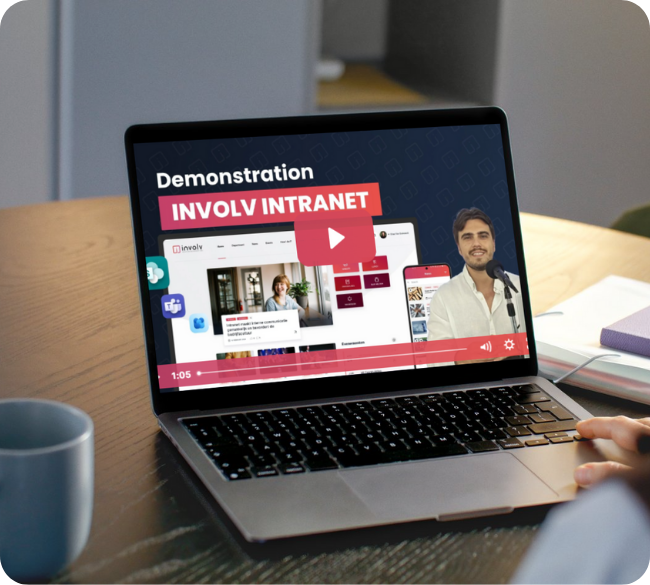
If your organisation already runs on Microsoft 365 and SharePoint, it’s worth looking closely at platforms built directly inside that environment (like Involv Intranet) before considering options that would take you outside it. Involv installs inside your existing Microsoft 365 tenant, so your content, identity and compliance model stay exactly where they already are, while adding the branding, personalised content and enterprise search that plain SharePoint doesn’t include out of the box.
Whichever path you take, run every finalist through the same ten criteria, weight them honestly for your own workforce and ask the twelve demo questions before you sign. The intranet you choose is the one your whole company will live in for years. It’s worth the extra week of diligence now.
What's the difference between intranet software and internal communication software?
Internal communication software usually focuses narrowly on publishing news and messages. Intranet software is broader: it typically adds document management, employee directories, personalised homepages and search on top of communication tools, functioning as the single hub employees return to for information, not just announcements.
Do we need a separate intranet if we already have Microsoft 365 and SharePoint?
Not necessarily a separate system, but very likely a communication layer on top of what you have. SharePoint Online provides document storage and a technical foundation; most organisations find that a packaged product built on SharePoint gets them a finished, branded employee experience faster than custom development, without leaving the Microsoft ecosystem.
How important is personalised content for a mid-sized company?
It scales with headcount and workforce diversity. A 50-person single-office company can often get away with one news feed for everyone. A 250+ employee organisation with multiple departments, locations, or languages will see engagement drop sharply without audience-targeted content, because most company-wide announcements become irrelevant noise for most readers.
Is AI-powered search worth prioritising right now?
For most organisations above a few hundred employees, yes. As content volume grows, keyword search alone increasingly fails to surface the right answer and employees give up searching and start asking colleagues instead, which is slower and less consistent. AI search that summarises an answer while still respecting existing document permissions closes that gap without creating a new security risk.
How long should intranet software implementation take?
A custom build directly on SharePoint commonly takes a year or more, according to Nielsen Norman Group’s research on enterprise intranet projects. A packaged, ready-to-go platform built on Microsoft 365 typically launches, fully branded and configured, within a few weeks to a couple of months. Ask any vendor for a realistic timeline from their last several comparable projects, not their best case.
What should we do if our organisation isn't on Microsoft 365 at all?
The Microsoft-native evaluation criteria in this guide still apply in spirit: swap them for your actual ecosystem (Google Workspace, for example) and evaluate integration depth with whatever platform you’ve standardised on. A standalone employee experience platform becomes a stronger fit when there’s no dominant productivity suite to build on top of.