


€189,000 per year for Microsoft 365 E3: that’s what an organisation of 500 employees typically pays. In return, you get SharePoint, Teams and Viva, among other things. Building blocks, not a building. Whether you turn that into a working intranet comes down to four questions. The answers are below.
What is a Microsoft 365 intranet?
A Microsoft 365 intranet is a central digital workplace that runs within your existing Microsoft 365 environment. It uses SharePoint Online for documents, content and sites, Teams for collaboration, and the same Microsoft login your people already use to open Outlook: no second password, no separate user management. A fully-featured Microsoft 365 intranet adds targeting, a mobile app for frontline workers, governance, search and analytics – components Microsoft itself does not deliver out of the box.
Why these four questions
Most intranet purchasing discussions get stuck on one sentence: “we already pay for Microsoft 365, why invest more?” It’s a fair question, but it’s the wrong one. The right questions aren’t about license price – they’re about the three years that follow: what’s the total cost, when does the investment pay for itself, where does our data live, and how do we get out if it doesn’t work?
These four questions replace all previous discussions.
Question 1: What is the Total Cost of Ownership over three years?
The license price is the first figure that lands on the table, but it’s rarely the most important one. TCO over three years covers license + implementation + maintenance + governance + adoption. On the other side of the ledger are the productivity savings a working intranet delivers. Only then does it become clear which route costs the least.
For an organisation of 500 employees, the calculation typically looks like this:
| Cost item | Route 1: Custom on SharePoint | Route 2: Ready-to-go intranet | Route 3: Do nothing |
|---|---|---|---|
| Implementation (one-time) |
€80,000 – €200,000 | €15,000 – €40,000 | €0 |
| Implementation timeline | 3 to 12 months | 2 to 8 weeks | n/a |
| License/subscription (3 years) |
n/a | €60,000 – €120,000 | €0 |
| Ongoing maintenance (3 years) |
€60,000 – €150,000 | Included | €0 |
| Adoption + governance | €30,000 – €90,000 | €10,000 – €25,000 | €0 |
| Gross investment (3 years) |
€170,000 – €440,000 | €85,000 – €185,000 | €0 |
| Less: recovered productivity (3 years)* |
– €480,000 | – €720,000 | €0 |
| Ongoing productivity loss (3 years) |
n/a | n/a | €1.8M** |
| Net effect 3 years | €40k to €310k profit | €535k to €635k profit | €1.8M loss |
* Based on the Involv ROI calculator, v5.13 (May 2026). Assumptions: 500 employees (450 office + 50 frontline), average office salary €60,000, sector “business services”. A ready-to-go intranet recovers approximately 75% of the productivity potential over three years; a custom SharePoint build typically around 50%. Supported by McKinsey, Gallup, SHRM and IDC.
** Based on €600,000 productivity loss per year (500 employees, 0.25h search time/day × €50 labour cost). Over three years: €1.8M. Excludes onboarding, HR tickets and frontline communication – the actual cost is higher. Source: Coveo 2025.
The practical conclusion: Route 2 delivers €535k to €635k net profit over three years. Route 1 delivers €40k to €310k net profit. Route 3 costs nothing on paper, but €1.8M in practice. The business case isn’t whether you invest – it’s which route delivers the most.
Question 2: How quickly does this pay for itself?
An intranet pays for itself on four fronts: less search time, faster onboarding, fewer HR/IT helpdesk tickets and better communication with frontline employees.
For an organisation of 500 employees with a labour cost of €50 per hour:
| Source of savings | Conservative assumption | Annual savings |
|---|---|---|
| Search time (from 30 to 15 min/day) | 0.25h × 48 w × €50 × 500 | €300,000 |
| Onboarding (from 4 to 3 weeks) | 30 new employees × €1,000 | €30,000 |
| HR helpdesk tickets (-25%) | 250 tickets × €40 saved | €10,000 |
| Total annual savings | €340,000 |
Against a TCO of €85,000 to €185,000 over three years for a ready-to-go solution, this delivers a break-even between 4 and 8 months, depending on actual adoption speed.
Question 3: Does our data stay within our own Microsoft tenant?
For finance, this isn’t an IT question – it’s a compliance and risk question. The right answer is: all data stays within the existing Microsoft 365 tenant, with no separate SaaS tenant, no intermediary cloud, and no data lost if you leave the vendor.
An intranet that runs on SharePoint and uses the existing tenant has three compliance advantages:
- GDPR compliance remains covered by your Microsoft agreement. No second Data Processing Agreement needed.
- Backups and retention periods follow the existing Microsoft policy. One file, no fragmented rules.
- Access management runs via Microsoft Entra ID (formerly Azure AD). No second user database, no second SSO integration.
Question 4: What is the exit route if it doesn’t work out?
Good vendors answer this question calmly. Bad vendors deflect. For finance, this is the final piece of the risk profile.
Four concrete sub-questions that define the exit route:
- Contract duration: monthly, annual or multi-year? What notice period applies?
- Data ownership: where does content, user data and settings go after cancellation?
- Export format: can you take all content in a standard format (SharePoint export, ZIP archive, JSON)?
- Migration cost: do you need to migrate everything, or does content stay on SharePoint?
The crucial difference: an intranet built on top of your own SharePoint requires no migration upon cancellation. The content is already in your tenant. You lose the added functionality (mobile app, targeting, governance templates), but the content remains available in standard SharePoint communication sites. That’s a fundamentally different risk profile from an external SaaS tool where you literally have to migrate out.
What is the hidden cost of having no intranet?
Before you spend on an intranet, it’s worth looking at what it costs to have none. Research by Coveo (2025) found that knowledge workers spend an average of three hours per day searching for the right information. Even if you scale that figure down significantly to 0.5 hours per day, the impact remains substantial:
- 0.5h per day × 48 weeks × €50 labour cost × 500 employees = €600,000 per year
- Over three years: €1.8 million disappearing into the search bar
And search time is just one line item. Add to that:
- Onboarding time for new employees with no central starting point
- HR and IT tickets that a good self-service section could have prevented
- Frontline communication that never reaches employees without a fixed workstation
- Knowledge walking out the door with experienced colleagues
The question isn’t “can we afford an intranet” – it’s “can we afford to let this cost continue?”
Read also: Everything is somewhere. Nothing is in its place. Discover why doing nothing is the most expensive intranet decision you can make.
What’s included in a Microsoft 365 license (and what isn’t)?
A Microsoft 365 E3 license costs €31.50 per user per month in June 2026 (list price, excluding VAT, before the announced July 2026 price increase). For 500 employees: €189,000 per year. For 300 employees: €113,400 per year. With a mixed license setup (E3 for office + F3 for frontline), those figures drop by 20 to 30 percent.
For that price you get: SharePoint Online, Teams, OneDrive, Outlook, Viva Engage, Stream and Viva Connections. Powerful tools, but not a ready-made intranet.
The difference comes down to three things:
- An intranet is an experience, not a collection of apps. An employee looking up a protocol between shifts on their phone, a manager sending one message that reaches everyone: that’s what an intranet does. Microsoft provides the tools; the experience is yours to build.
- SharePoint is a platform, not a solution. Communication sites start empty. Information architecture, templates, governance, search, mobile experience and adoption are all work that still needs to happen.
- Teams and Viva don’t automatically fill the gaps. Teams is built for collaboration within groups, not one-to-many communication. Viva Connections is a dashboard layer, not a complete intranet experience.
Three routes to bridge the gap
Route 1: Custom build on SharePoint
You have an internal IT team or external consultancy build the intranet on SharePoint Online. Maximum flexibility, but 3 to 12 months of implementation time and ongoing maintenance. Timeline and cost are predictably hard to budget; scope creep is the rule rather than the exception on projects like this.
Route 2: Ready-to-go intranet on top of Microsoft 365
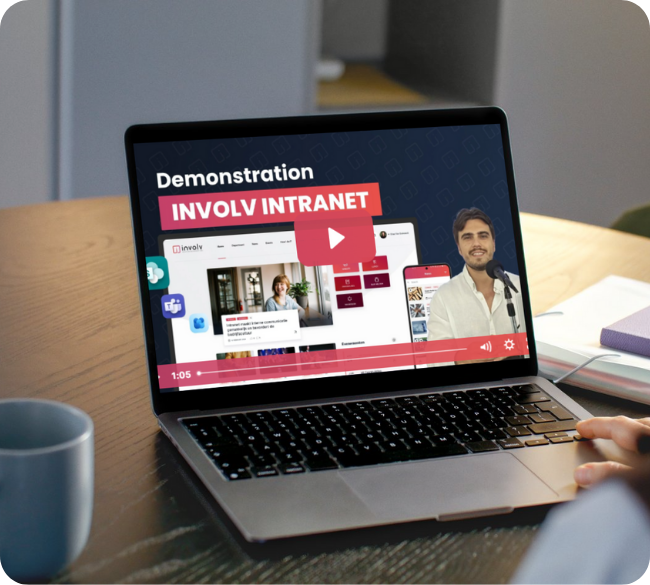
You choose a solution that runs on top of SharePoint, uses the same Microsoft 365 tenant, and already includes the information architecture, templates, mobile app and governance. Involv Intranet is one example: an omnichannel SharePoint intranet that brings all departments together within your existing Microsoft environment. Implementation in weeks rather than months, predictable cost, no migration needed upon cancellation.
Route 3: Do nothing
The most expensive route, and at the same time the least visible on the budget. Your employees keep searching instead of working; the cumulative cost over three years exceeds both Route 1 and Route 2 – just spread across invisible lines on different departmental budgets.
Conclusion
Microsoft 365 provides the foundation for a digital workplace, not the building itself. The difference between the two isn’t a luxury expense: it’s exactly where search time, onboarding periods and missed communication accumulate.
A CFO looking to close the business case focuses on TCO over three years, not license price alone. In that calculation, doing nothing is often the most expensive option – and a ready-to-go intranet on the existing Microsoft 365 foundation is the most predictable route.
Next step: run the numbers on your own figures. The Involv ROI calculator gives you an estimate in two minutes based on your organisation size and average labour cost.
Want to see what Involv Intranet looks like within your own Microsoft 365 environment?
Frequently asked questions
What is the difference between Microsoft 365 and a Microsoft 365 intranet?
Microsoft 365 provides the building blocks (SharePoint, Teams, Viva Connections), but not a ready-made intranet experience. For a working intranet for 200+ employees, you need an additional layer or build that brings targeting, mobile access for frontline workers, governance, search and analytics.
How much does a Microsoft 365 intranet cost?
The cost varies by route. Custom building on SharePoint typically costs €80,000 to €200,000 in implementation plus ongoing maintenance (3 to 12 months lead time). A ready-to-go solution typically costs €15,000 to €40,000 in implementation plus an annual subscription, with a shorter lead time of 2 to 8 weeks. The Involv ROI calculator gives an estimate based on your organisation size.
Does our data stay within our own Microsoft tenant?
With Involv Intranet: yes. The intranet runs within your existing SharePoint Online and Microsoft 365 tenant. All data, users and settings remain in your own environment. There is no separate SaaS tenant and no migration needed.
How long does an implementation take?
For a custom SharePoint build, typically several months to a year depending on scope. For a ready-to-go solution like Involv Intranet, typically 2 to 8 weeks, because the information architecture, templates and components already exist.
Does Viva Connections replace an intranet?
No. Viva Connections is a dashboard layer on top of SharePoint and provides a starting point, not a complete intranet experience. Teams is built for collaboration within groups, not broad one-to-many communication. For a full intranet (news, targeting, mobile app for frontline workers, people directory, alerts, analytics) both are complementary to a real intranet, not a replacement.
What if you want to stop after a year?
Ask about contract terms, data ownership and exit route. A ready-to-go solution on SharePoint has the advantage that your content stays in your own SharePoint: no migration is needed to exit. You lose the added functionality, but the content remains available.
Sources
- Involv ROI calculator v5.13 (May 2026). Supported by McKinsey, Gallup, SHRM, IDC, Work Institute, Brandon Hall Group, AIIM, Okta.
- Coveo (2025). 2025 Relevance Report: The State of EX Relevance. coveo.com
- Microsoft 365 list prices E3/E5/Business Premium, June 2026 (source: m365.de price overview and Microsoft.com official plans)
- Universal.cloud (2026). Microsoft 365 price increase July 2026: new prices per license.