

Many organizations ask themselves: is SharePoint also an intranet? The platform offers strong building blocks, but lacks ready-to-use functionality. In this article you will learn everything about the advantages and disadvantages of a SharePoint intranet, the costs and implementation, and which alternatives such as Involv can deliver results faster.
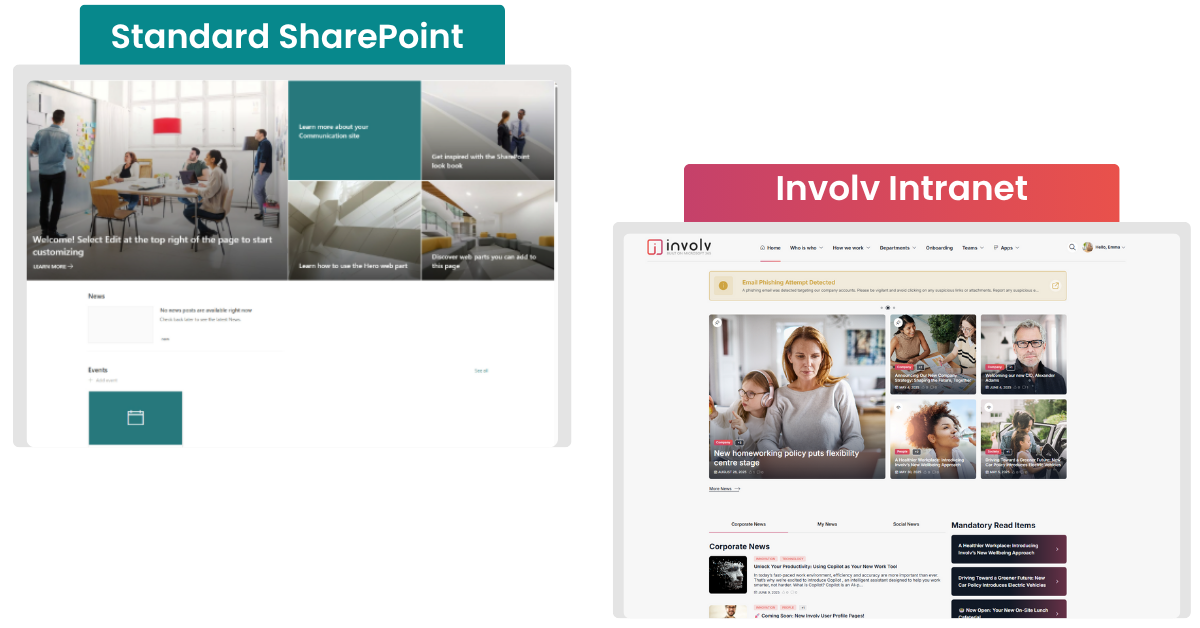
🤔 What is an intranet on SharePoint?
Imagine this: you start your workday, open your laptop and… 47 unread emails are already waiting. An HR newsletter, an IT update, the announcement of a team event. Meanwhile, messages are also coming in through Teams and even through WhatsApp. And before you know it, you’re wasting time searching: “Where was that policy again?”
That fragmentation is frustrating and very recognizable. It explains why so many organizations dream of one central place where everything comes together: documents, news and internal communication.
And then – for organizations working within Microsoft 365 – the logical question follows: “Can’t we just do that in SharePoint?”
The short answer: yes and no.
What SharePoint is:
- Strong foundation for intranet & document management
SharePoint offers powerful tools for storage, version control, metadata structures and secure collaboration (Wikipedia). - Communication and news sites
With communication sites and the News web part you can publish company news, announcements and policies in an attractive way and distribute them widely (Microsoft Learn). - Hub sites
Hub sites connect multiple SharePoint sites (such as HR, departments or projects) and bundle information and news on one central intranet page (Microsoft Learn).
What SharePoint is not:
- A fully ready-to-use intranet that you install and immediately start using as a news hub or communication platform. SharePoint provides a strong foundation, but you still need to configure it yourself: with the right structure, a thoughtful setup and clear agreements about governance and usage (Microsoft Learn).
So: is SharePoint an intranet?
Microsoft positions SharePoint as the central place for collaboration, documents and communication. In marketing it therefore sounds as if you automatically get an intranet with it. And that is partly true: the building blocks are there. You can publish news, create sites and bundle content.
But in practice things work differently. Many organizations think: “We already have SharePoint, so we already have an intranet.” Until they notice that:
- news messages are still being shared through email or Teams
- employees get lost in a maze of separate sites
- and nobody really knows where the latest version of a document is
Without a clear design, clear navigation and good governance, SharePoint feels less like one intranet and more like a collection of separate islands. That is exactly where confusion arises – and where frustration grows.
👍 Advantages of a standard SharePoint intranet
| Advantage | Why this is useful |
| Seamless integration with Microsoft 365 | SharePoint connects directly with Teams, OneDrive, Outlook and other tools you use every day. |
| Strong document management | Version control, metadata and co-authoring ensure you always work with the right files. |
| Flexible foundation | You can build sites and structures that fit your organization. |
| Secure and reliable | Part of the Microsoft cloud with strong security and compliance. |
| Scalable | Suitable for both small teams and international organizations. |
👎 Disadvantages of a standard SharePoint intranet
| Disadvantage | Why this is a problem |
| Complex and not very user-friendly | Without IT knowledge or training, employees struggle to find their way, which keeps adoption low. |
| Slow implementation | SharePoint is not a plug-and-play solution. It takes time to set everything up properly. |
| Limited design freedom | Standard web parts offer little flexibility to create an intranet in your own brand style. |
| No built-in employee directory | There is no simple central place to find colleagues. |
| Limited social features | There is little room for interaction or community building. |
| Average mobile experience | The mobile app feels cumbersome and not always recognizable as ‘your’ intranet. |
| Integration challenges | Does not always connect smoothly with non-Microsoft tools. |
| Search can be overwhelming | With a lot of content, employees receive unfocused or too many results. |
💵 SharePoint intranet costs and implementation
In the previous chapter we already saw that a standard SharePoint intranet is often complex and takes a lot of time to set up. That not only affects usability and adoption, but also the costs and timeline of your project.
What does a SharePoint intranet cost?
At first glance, a SharePoint intranet seems inexpensive: the platform is already included in most Microsoft 365 subscriptions. However, the real costs lie in building and maintaining it. This often requires a significant amount of customization.
To truly align an intranet with the needs of your organization, many companies choose a trajectory with a SharePoint consultancy or IT partner. On paper that sounds attractive: you get an intranet that is fully tailored. In practice, however, this brings several challenges:
| Cost item / challenge | What this means |
| Consultancy & development | External specialists are required to design, configure and develop your intranet. Every adjustment or bug fix requires additional time and budget. |
| Internal IT time | Your internal IT team also spends many hours setting up, managing and supporting sites and web parts. |
| Training & adoption | Employees and content managers need training to use SharePoint efficiently. |
| Further development | New requirements (e.g. social features or personalization) require additional customization or add-ons. |
| Maintenance | Regular updates, permission management and content structuring require continuous effort. |
In addition, customization projects can easily take months, while costs are difficult to predict and often increase due to additional requests. And when internal communication needs change, the intranet must be adjusted again — limiting flexibility.
Implementation time
The implementation of a standard (or customized) SharePoint intranet often takes months in many organizations. Decisions need to be made about the navigation structure, which sites are connected to a hub site, how news and documents are published, and who is responsible for governance and management.
Without a clear approach, a project can even stall. And once it is live, you must continue investing in updates and adoption to avoid the intranet turning into a collection of disconnected sites.
Conclusion
SharePoint provides a powerful foundation, but anyone who wants to build a full intranet must consider high implementation costs, long project timelines and the risks of customization through consultancy. That is exactly why many organizations choose a ready-to-go solution on top of SharePoint: you benefit from all Microsoft 365 integrations without the pitfalls of slow projects and unpredictable costs.
🚀 Ready-to-go SharePoint intranet solutions
After analyzing the costs and implementation, the next question often arises: “Are there solutions that make it easier to use SharePoint as an intranet?”
The answer is yes. Several providers offer ready-to-use intranets built on top of SharePoint. Examples include Valo (now discontinued), Powell or Beezy. Their approach is similar: they add communication modules and build an interface that is more user-friendly than standard SharePoint.
However, where many of these solutions still lead to long and expensive implementations or generic functionality that does not fully match internal communication needs, organizations increasingly discover that there is a solution that delivers on its promise: Involv intranet.
Involv combines the power of SharePoint with the simplicity of a ready-to-go intranet. While others often introduce additional complexity or still require IT expertise, Involv takes a streamlined approach:
- Live within weeks, not months.
- 50+ prebuilt modules designed specifically for internal communication and employee experience.
- User-friendly for administrators and employees, without technical knowledge.
- Fully integrated in Microsoft 365, without separate silos or external platforms.
- 100% focus on intranet projects, delivered by a team of technical specialists and internal communication experts who understand what an intranet should truly achieve.
That is why more and more organizations choose Involv: the speed and simplicity of a ready-made solution, without the pitfalls of generic packages or heavy customization.
🎨 SharePoint intranet design inspiration
Curious what a SharePoint intranet can really look like?
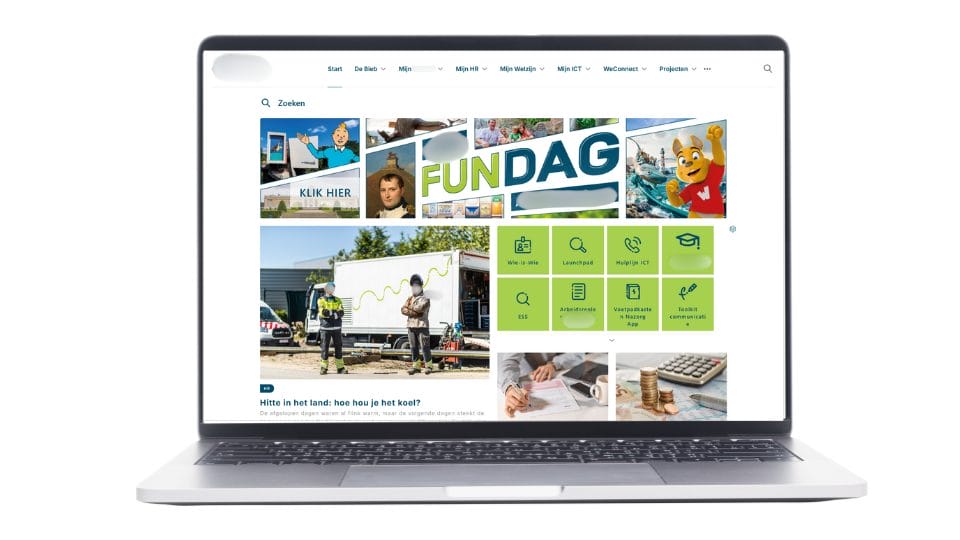
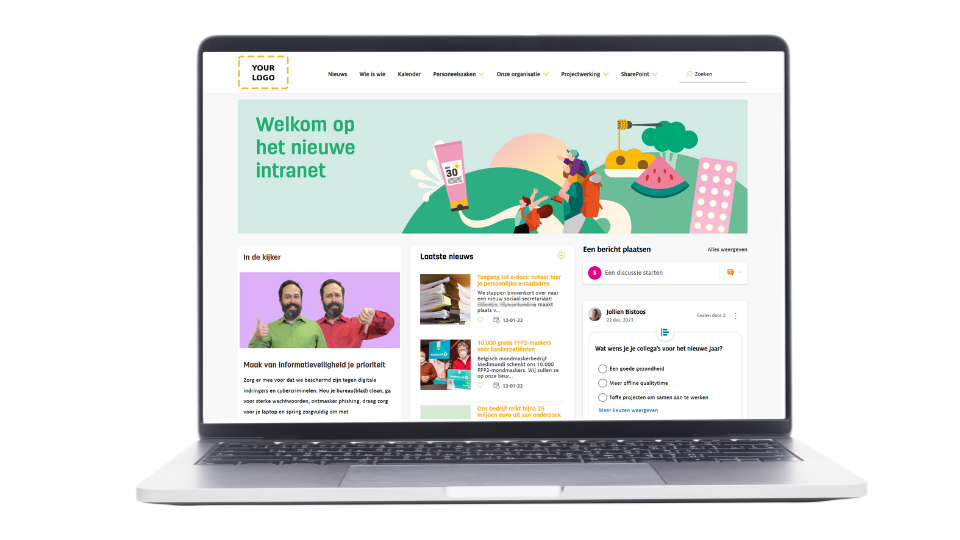
The possibilities are greater than you might think. Below are several intranet designs, all built with Involv intranet. Each design combines the power of SharePoint with a modern, user-friendly interface fully aligned with the organization’s brand style.
Whether you are looking for a sleek and functional intranet or one focused on storytelling and company culture, these examples show what is possible with a ready-to-go SharePoint intranet powered by Involv.
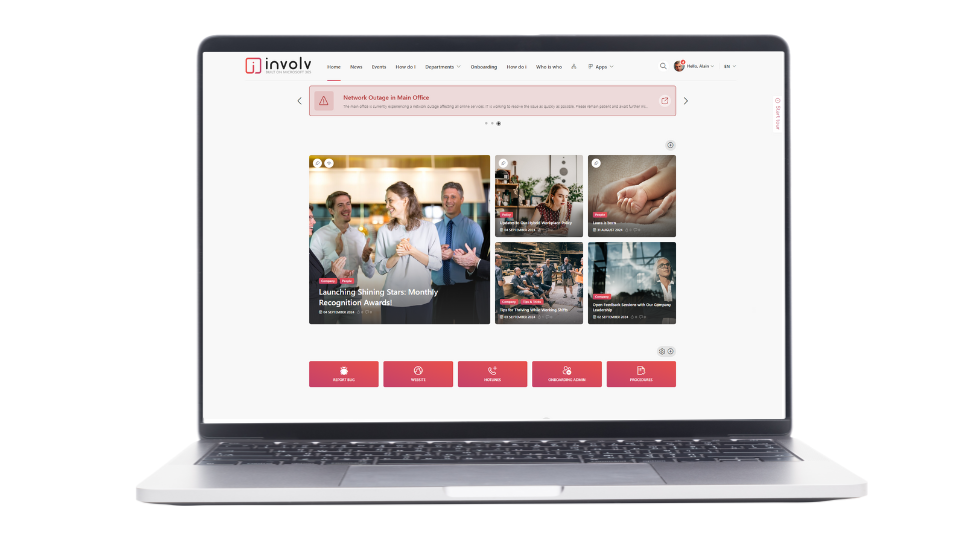
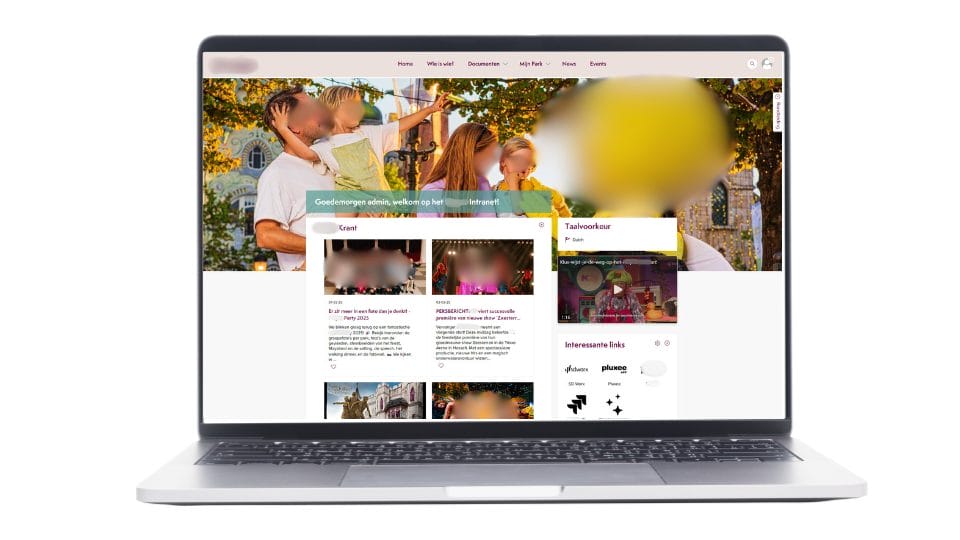
👉 Discover these and more examples in the Involv Lookbook.
🫵 What will you choose?
SharePoint is undoubtedly a powerful foundation for collaboration, document management and communication. But organizations that want to use it as an intranet quickly discover that more is required: structure, governance, customization and continuous investment.
In this article you have seen three possible paths:
- Standard SharePoint – strong at its core, but limited in usability and communication.
- Customization through consultancy – fully tailored, but expensive, slow and risky.
- Ready-to-go solutions on top of SharePoint – faster to launch, easier to manage and designed for internal communication.
More and more organizations choose the last option. With Involv intranet, you get an intranet that is live within weeks, user-friendly for both administrators and employees, and fully integrated with Microsoft 365. Every project is delivered by a team specialized exclusively in intranet solutions — combining technical expertise with deep knowledge of internal communication.
❔ Frequently asked questions about SharePoint as an intranet
Is SharePoint the same as an intranet?
Yes and no. SharePoint is a platform with building blocks for document management and collaboration. You can build an intranet on it, but by default it is not a ready-made intranet solution and lacks several commonly requested intranet features.
What does a SharePoint intranet cost?
The platform itself is included in most Microsoft 365 subscriptions. The real costs lie in consultancy, implementation, training, further development and maintenance. In customized projects these costs can quickly increase.
How long does it take to build a SharePoint intranet?
A standard or customized SharePoint intranet often takes months to implement. Ready-to-go solutions such as Involv intranet are typically live within a few weeks.
Is customization on SharePoint worth it?
Only if you are willing to accept high costs, long timelines and dependency on external developers. For most organizations, a ready-to-use solution on top of SharePoint is more efficient.
What is the difference between Involv and SharePoint?
SharePoint is the foundation. Involv intranet builds on top of it and adds 50+ ready-to-use intranet modules with a user-friendly interface and support from intranet experts. This gives you all the benefits of Microsoft 365 without the pitfalls of standard or heavily customized SharePoint.
Would you like to discuss how Involv can make your SharePoint intranet outstanding? Schedule a short introduction.